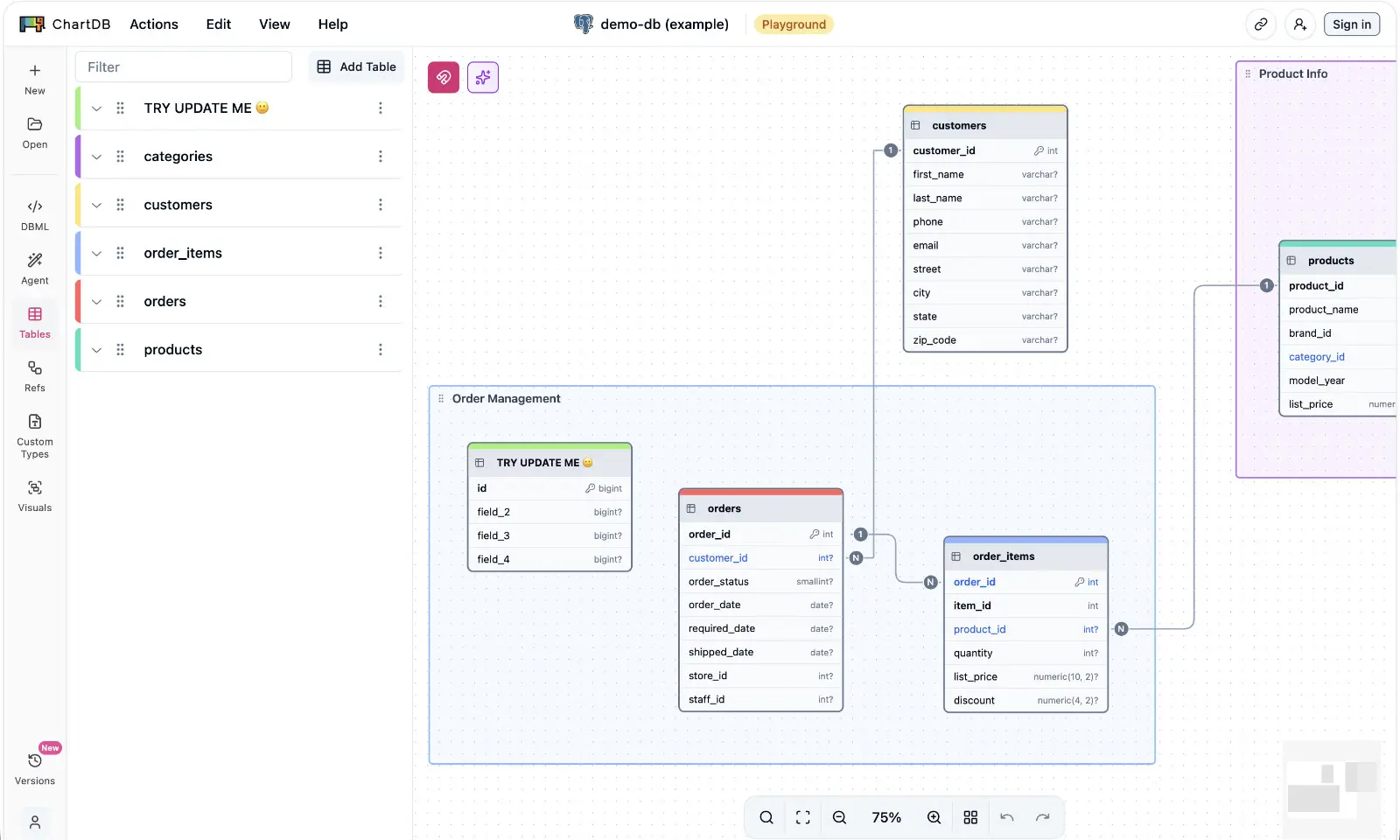
ChartDB nailed something real: getting from a live database to a readable diagram should take minutes, not an afternoon. Run a query, get a diagram, share a link. Add an AI assistant on top, and it is easy to see why it became the tool people reach for first.
Then a certain kind of engineer hits a certain kind of wall. The schema you want to diagram is the one you are not allowed to upload. The client’s NDA, the IT policy, the compliance checklist - somewhere in there is a sentence that ends the conversation with any browser tool: project data does not go to third-party servers.
This article is for the engineers who love what ChartDB does and cannot use where it does it.
The Honest Summary
ChartDB is a polished, web-based schema visualizer with an open-source core. Fast import from a dozen databases, real-time collaboration, AI-assisted layout and export, link-based sharing. If your schema is not sensitive and your team lives in the browser, it is genuinely good.
Schemity is the ChartDB alternative for when the diagram has to stay on your machine. A desktop ERD tool - offline by architecture, not by settings toggle - where diagrams are plain JSON files in your Git repo, the AI runs on your own API key, and schema changes flow back to the database as reviewed SQL migrations.
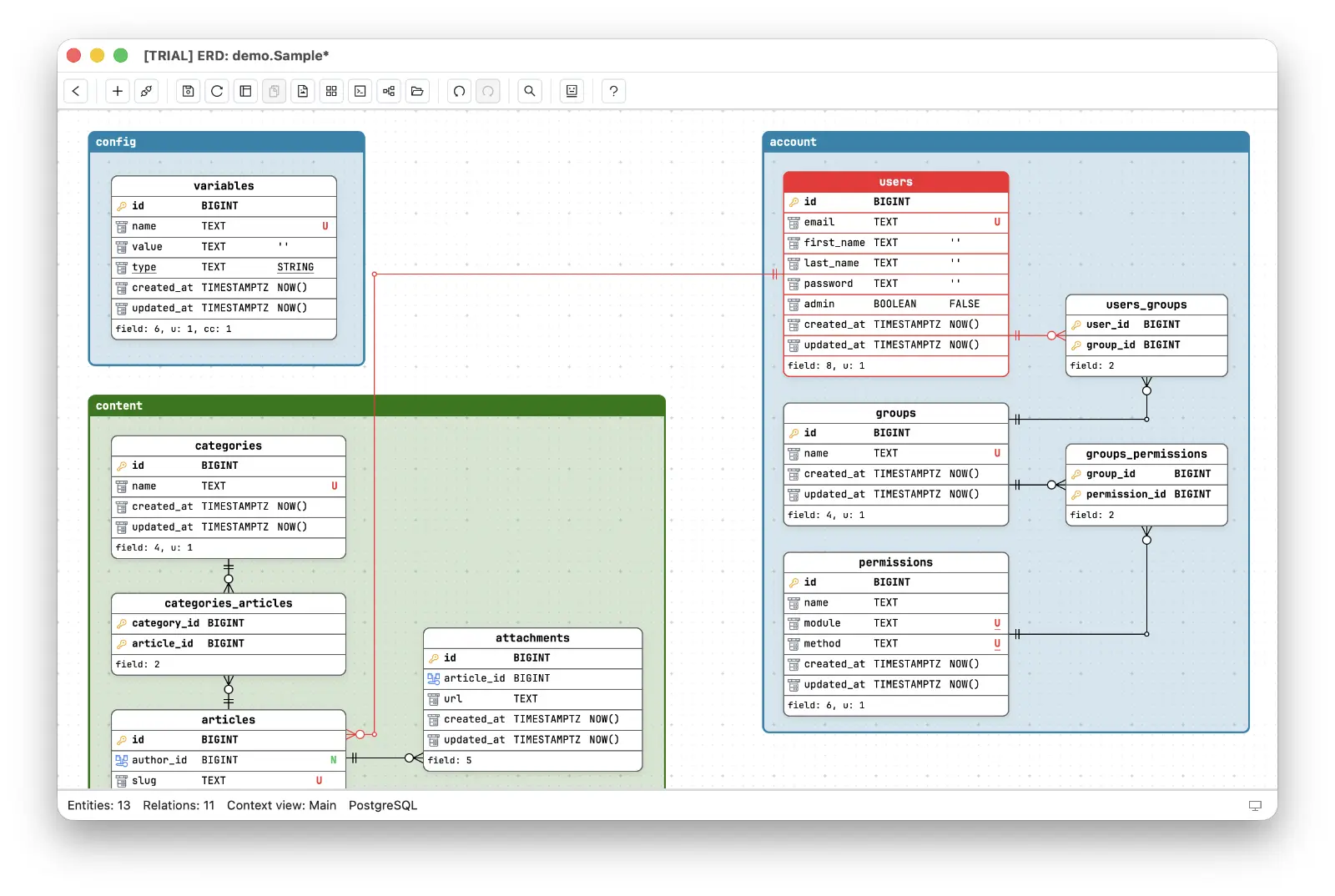
The difference is not feature count. It is where your schema physically goes.
Side-by-Side
| ChartDB | Schemity | |
|---|---|---|
| Platform | Browser (cloud app, self-host option) | Native desktop (macOS, Windows, Linux) |
| Open source | Yes: AGPL-3.0 core | No: proprietary, one-time license |
| Where diagrams live | Their cloud; self-hosted: your browser’s storage | Your machine, plain JSON files |
| Offline | No (cloud); self-hosting still means running a web stack | Full offline, air-gap ready |
| Git workflow | Export-based | Native: the ERD is a JSON file in your repo |
| AI | Cloud AI (hosted); own OpenAI key or custom endpoint (self-hosted) | BYOK: your own OpenAI, Claude, Gemini, or DeepSeek key, direct from your desktop |
| Live DB connection | Import via query or connection | Direct or SSH tunnel; passwords in the OS keychain |
| Schema changes | Export DDL | Reviewed SQL migration diff, applied only when you approve |
| Databases | PostgreSQL, MySQL, SQL Server, SQLite, MariaDB, and more | PostgreSQL, Supabase, MySQL, MariaDB, SQL Server, SQLite |
| Collaboration | Real-time multi-cursor, link sharing | Deliberately single-designer: feedback via review - meetings, read-only sharing, PRs |
| Pricing | Subscription tiers by seats, databases, and tables per database (from $25/user/month billed yearly) | $129 one-time, no subscription, no caps |
Where ChartDB Wins
Credit where due - ChartDB is the strongest entry in the cloud generation of ERD tools.
Zero-install onboarding. It is a URL. Paste a query result, see a diagram. For a quick look at a non-sensitive schema, nothing is lighter.
Real-time collaboration. Multiple cursors on one diagram, live syncing, public and private sharing links. If your team’s workflow is “everyone in the same doc at once”, ChartDB has built that and Schemity has not - though, as a later section explains, that absence is a choice, not a backlog item.
A genuinely open-source core. ChartDB’s core is AGPL-3.0 on GitHub. You can read the code, run it as a single Docker container, and point its AI features at your own OpenAI key or even a custom inference endpoint. That is a real trust signal - Schemity, a proprietary app, cannot match it and should not pretend otherwise.
Momentum. ChartDB ships fast and markets well, especially around AI. If you want the tool your teammates have already heard of, this is it.
Where ChartDB Hits Its Ceiling
The cloud is the product. The hosted app is where the polish, the collaboration, and the AI live - and it is a third-party server holding your schema. A schema is not just structure; table names alone sketch your product roadmap. For an NDA project or an IT-reviewed environment, “we upload the data model to a SaaS” is the sentence that gets the tool rejected, however good the tool is.
AI happens on someone else’s terms. ChartDB does AI loudly, and in the hosted product the AI features run cloud-side - your schema travels through their stack to reach a model. That is precisely the path a confidential schema cannot take.
The meter is your schema. ChartDB’s plans are capped by seats, by number of databases, and by tables per database - the solo plan covers one database up to 100 tables. A diagram is read by many more people than edit it, and a schema grows whether or not the budget meeting approved it; on a metered plan, both of those facts are billing events.
“But you can self-host it” answers the first objection, so it deserves more than a bullet point.
Taking Self-Hosted ChartDB Seriously
Self-hosted ChartDB is the strongest version of the ChartDB privacy story, so let’s give it its due. The core is AGPL-3.0, it runs as one Docker container, and the AI features accept your own OpenAI key or a custom inference endpoint - which means a self-hosted instance can keep both your schema and your AI prompts off ChartDB’s servers. For a team with a platform group that already runs internal tools, that is a legitimate setup.
Three things remain true after you self-host, and they are the reasons this comparison still has two columns.
Your diagrams live in a browser, not in files. The standard self-hosted container ships no storage backend - it serves the application, and your diagrams persist in the browser’s local storage. That has sharp edges: diagrams are tied to one browser profile on one machine, clearing site data deletes your work, and there is nothing on disk to commit. The ERD-in-Git workflow - plain JSON files, pull requests, git log as your version history - is not an export step away; it is not part of the architecture. Schemity starts from the opposite premise: the file on disk is the diagram.
You now operate a web service to draw diagrams. The container is easy to start and yours to keep running - upgrades, backups of what the browser holds, the URL your teammates bookmark. That is a fine trade for a company with infrastructure habits. It is a bad trade for the people with the strictest confidentiality requirements - consultants and small teams on client sites - who need the diagram tool to work on a laptop, on a plane, inside someone else’s network. A desktop ERD tool is self-hosting reduced to its useful core: the software runs on hardware you control, with none of the service to maintain.
The single-player version competes with a desktop app. Real-time collaboration, sync, and shared version history are the hosted product’s value. Self-hosted ChartDB used by one engineer at a time is playing the same game as Schemity - local-ish, private, single-user - at which point the comparison is direct: browser storage vs plain JSON in Git, an OpenAI-or-custom endpoint vs BYOK across OpenAI, Claude, Gemini, and DeepSeek, DDL export vs a reviewed migration diff applied to the connected database.
One more honesty note, in the other direction: ChartDB is open source and Schemity is not. If auditable source is a hard requirement, that is a genuine point for ChartDB. Schemity’s trust story is architectural instead - an offline ERD tool whose files sit in your own repo, observable in the most basic way: unplug the network and everything still works.
No Shared Cursors - a Choice, Not a Gap
It would be easy to read the collaboration row of the table as a feature Schemity has not gotten to yet. It is the opposite: Schemity believes real-time co-editing is wrong for database design, and built accordingly.
Schema design is some of the most concentration-heavy work in software. The designer is holding an entire model in their head at once - which entity owns which fact, where the boundaries sit, what cascades if this relationship changes, which constraint encodes which business rule. That mental state takes an hour to build and one interruption to lose. Now picture the multi-cursor version of it: mid-thought, a colleague renames the field you are reasoning about, or moves the entity your eyes were resting on. Every live edit by someone else forcibly swaps their model into your head. A designer spending all their mental energy on the model cannot afford that, and no amount of cursor-presence UI makes it affordable.
So Schemity is built around a different loop: one designer in charge of the diagram, and feedback at moments the designer chooses. Walk the team through the design in a meeting or a screen share and collect reactions. Hand colleagues the diagram read-only, so they can study it without being able to move a single field. Commit the JSON and open a pull request, where comments arrive as comments - and the designer decides what changes. This is how teams already collaborate on code: nobody types into your editor while you work; they review your diff. A schema - the ERD single source of truth for the whole system - deserves at least that much protection.
If everyone-in-the-file is genuinely how your team works, ChartDB serves that honestly and Schemity will not try to. But it is worth asking which schema decisions you are proud of: the ones made with an audience editing alongside you, or the ones one person thought hard about and then defended in review.
AI With Nobody Else in the Loop
This is the sharpest difference, because it is the territory ChartDB is famous for.
Schemity’s AI chat is bring-your-own-key: you plug in your own OpenAI, Claude, Gemini, or DeepSeek API key, and prompts travel directly from your desktop to the provider you chose - no diagram vendor in the middle, no second company logging your schema. It is private AI database design in the only sense that survives an IT review: one relationship, chosen by you, under an agreement your company has probably already signed. Self-hosted ChartDB can get partway here with its own OpenAI key - but only by way of the web stack above, and with one provider’s shape of key rather than a choice of four.
And the chatbot is not a sidebar that emits text. It interacts with the diagram itself - describe a subsystem and it creates the entities and relationships on the canvas, ask it to restructure something and it edits in place, with full undo if you disagree. AI ERD without cloud is not a compromise version of the ChartDB experience. It is the same help, minus the third party. And where no cloud provider is allowed at all, Schemity runs local models through Ollama - the same chat with zero egress.
The Diagram That Belongs to Your Repo
ChartDB keeps version history inside its platform. Schemity’s answer is more boring and more durable: the diagram is a plain JSON file in a folder, so version control is whatever your team already uses. Commit the ERD next to the code it describes, review schema changes as pull requests, and diff last quarter’s model against today’s with git log - a Git-native ERD tool workflow with no vendor between you and your own history.
The same architecture answers the trust question without a policy document. An offline ERD tool with ERD tool JSON storage has nothing to leak: no account, no sync, no server component. Connections to real databases go direct or through an SSH tunnel, passwords stay in the OS keychain, and when a teammate needs to read a diagram, you share the file - they open it read-only, no database credentials required.
And when design needs to become reality, Schemity closes a loop ChartDB leaves open: change the ERD and it generates the SQL migration diff for you to review - you decide whether to apply it, and only then does anything run against the connected database.
Pricing: Four Meters vs a Tool You Own
ChartDB’s pricing has four dimensions: how you pay, how many seats, how many databases, and how many tables per database.
| Plan | Monthly | Billed yearly | Seats | Databases | Tables per database |
|---|---|---|---|---|---|
| One Person | $39/month | $25/month | 1 | 1 | up to 100 |
| Team Basic | $99/month | $59/month | 3 | 5 | up to 200 |
| Team Growth | $159/month | $119/month | 5 | 10 | unlimited |
| Team Scale | $289/month | $239/month | 10 | 25 | unlimited |
Schemity: $129 one-time, optional $69/year for updates. An ERD tool without subscription - and without meters: no seat counting, no database quota, no table cap. Stop renewing and everything keeps working, because the app and the files are both on your machine.
Run the numbers at the two ends. A solo engineer pays ChartDB $300 per year (billed yearly) for one database capped at 100 tables - and real production schemas cross 100 tables sooner than anyone plans to. A five-person team on Team Growth pays $1,428 per year, every year. Five Schemity licenses are $645, once.
But the arithmetic is the smaller point. Look at what the meters measure: your schema. On ChartDB, adding the eleventh database or the 101st table is a billing event - the natural growth of the thing you are designing walks you up a pricing ladder. A one-time purchase ERD tool inverts that relationship: the tool has to keep earning its place on your machine, and your schema is free to grow without asking the pricing page for permission.
Who Should Use ChartDB
- Your schema is not confidential and a browser link is the fastest way to share it
- Real-time multi-cursor collaboration is central to how your team works
- You want a free, open-source visualizer for occasional quick looks
- You have the appetite to self-host a web app and maintain it
Who Should Use Schemity
- The schema is under NDA, client-owned, or IT-reviewed - it cannot live in a SaaS account
- You work offline, behind a VPN, or need an air-gapped ERD tool
- You want AI help with your data model on your own API key, not through a vendor’s cloud
- Your ERD should live in Git next to your code and evolve through pull requests
- You want design changes to become reviewed SQL migrations, not exported files
- You prefer owning your tools: one purchase, local ERD tool, no seats to count
The Bottom Line
ChartDB is the best of the cloud ERD tools. That sentence contains both the compliment and the constraint.
If your schema is free to travel, ChartDB will treat it well. If your schema cannot leave your machine - and for consultants, NDA projects, and IT-governed teams, it cannot - then the question is not which cloud tool to pick. It is which ChartDB alternative works offline without giving up the modern parts: the live database import, the AI assistance, the polish.
That is the tool Schemity was built to be.
Comparing against dbdiagram.io instead? See Schemity vs dbdiagram.io.