Every team has a version of this moment. Someone new joins, or an audit lands, or an integration partner asks “can you send us your data model?” - and everyone realizes the only accurate description of the schema is production itself. The wiki page was written two migrations ago. Staging has three experimental columns nobody remembers adding. The truth lives in one place, and it is the one place everybody is afraid to touch.
So the task “document the production database schema” quietly becomes a negotiation with fear. You could ask the one person with prod access to run pg_dump --schema-only and mail it around. You could screenshot a database client and annotate it. Or you could connect a diagram tool directly and get the real picture - which is obviously the right answer, and also the one that makes your stomach drop, because most tools give you no reason to believe they will only read.
The fear is rational - honor it
Let’s not pretend the anxiety is silly. Pointing software at production is exactly the kind of action that deserves suspicion, and a schema visualizer earns trust the same way a colleague does: by being explicit about what it will and will not do.
That starts before the connection exists. In Schemity you can test a connection before saving it, so a typo in a hostname fails on your desk instead of in a retry loop against a production endpoint. Once saved, the connection carries an environment tag - Local, Staging, Production - so the prod connection never looks like just another row in a list. You see what you are pointed at before you touch anything, every time.
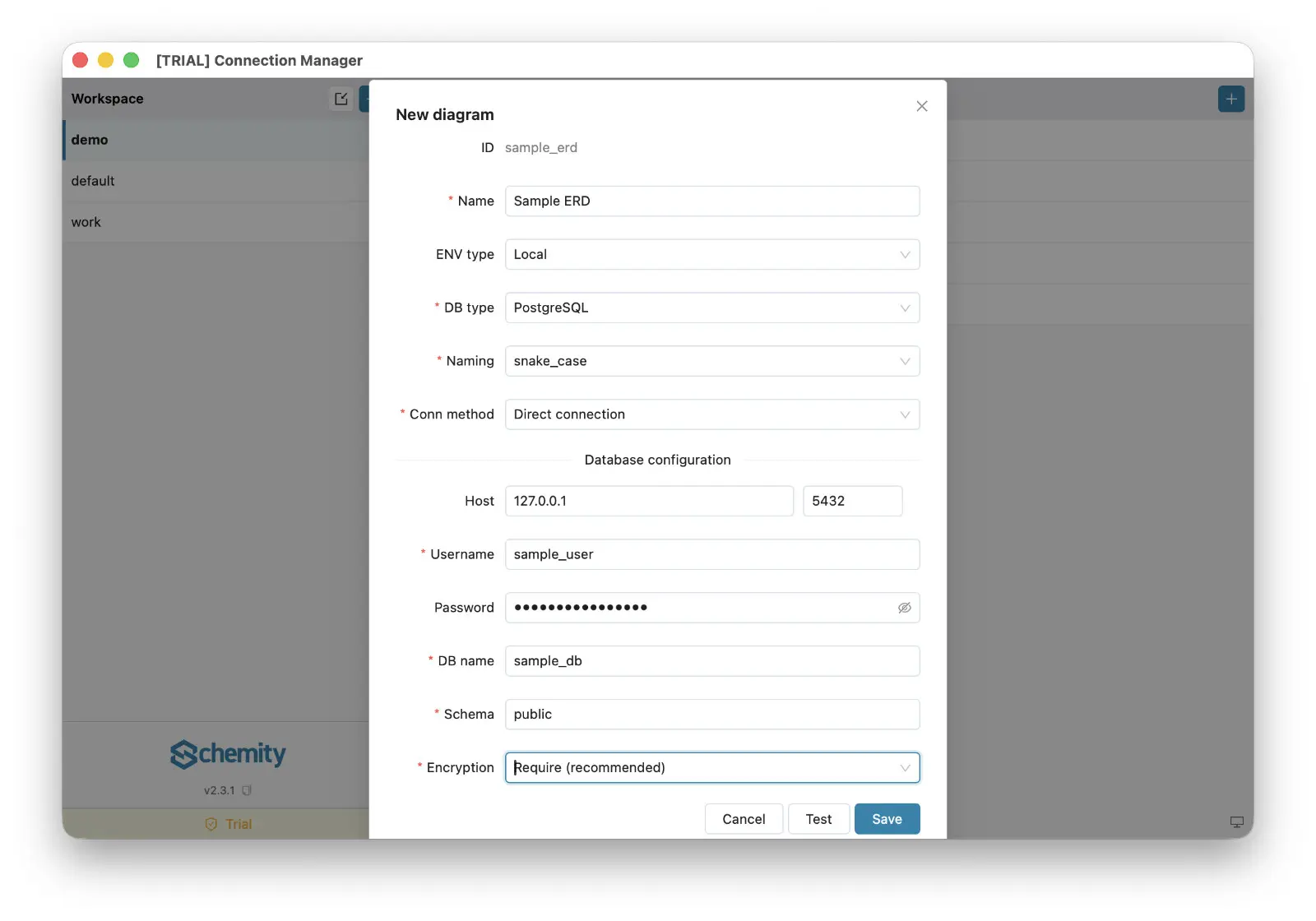
Then there is the route. Most production databases are not - and should not be - exposed to the open internet, so Schemity connects through an SSH tunnel, the same bastion path your team already trusts. And it treats the credentials for that path with the paranoia they deserve: the SSH tunnel stores only a reference to your private key, never the key content itself, and every database password goes into the operating system’s keychain, never into a plain-text config file. There is no vendor cloud in this story at all - Schemity is an offline ERD tool, a local desktop app, so the connection is between your machine and your database, full stop. That short list - local app, OS keychain, no server component - is also why it is the kind of ERD tool approved by IT without a quarter-long security review.
Read the schema, don’t touch it
With the connection trusted, the actual documentation step is one action: connect and reverse engineer the schema into an ERD. Tables become entities, foreign keys become crow’s foot relationships, and constraints, defaults, and indexes come along instead of being lost in translation. This works the same whether you need to reverse engineer PostgreSQL to ERD or you are on Supabase, MySQL, MariaDB, SQL Server, or SQLite - one desktop ERD tool covering the databases your team actually runs.
Reading is the entire transaction. Reverse engineering pulls structure out; it does not push anything in. You can rearrange entities, group them, and build focused context views of the areas that matter, and none of it emits a statement against the database - layout is your document, not prod’s problem.
And here is the part that changes who can look at the schema: the diagram outlives the connection. A teammate can open a diagram that was created from a database connection in read-only mode, without having access to that connection. The junior engineer who should never hold prod credentials can still study the real production schema - you shared the map, not the keys. Because the diagram is a plain local JSON file, you can even check it into Git and let the whole team visualize the PostgreSQL schema offline, no credentials, no VPN, no fear.
Nothing runs without your signature
The deepest reason diagram tools feel dangerous next to production is uncertainty about writes: if I rename this field on the canvas, did I just rename it in the database? In Schemity the answer is structurally no. When you change the ERD, the tool generates the SQL migration diff and shows it to you. You read it, you decide, and only if you explicitly apply it does anything run against the connected database. Skip that step and the canvas is just a canvas - a safe place to sketch “what if we split this table” against a live schema without the schema ever knowing.
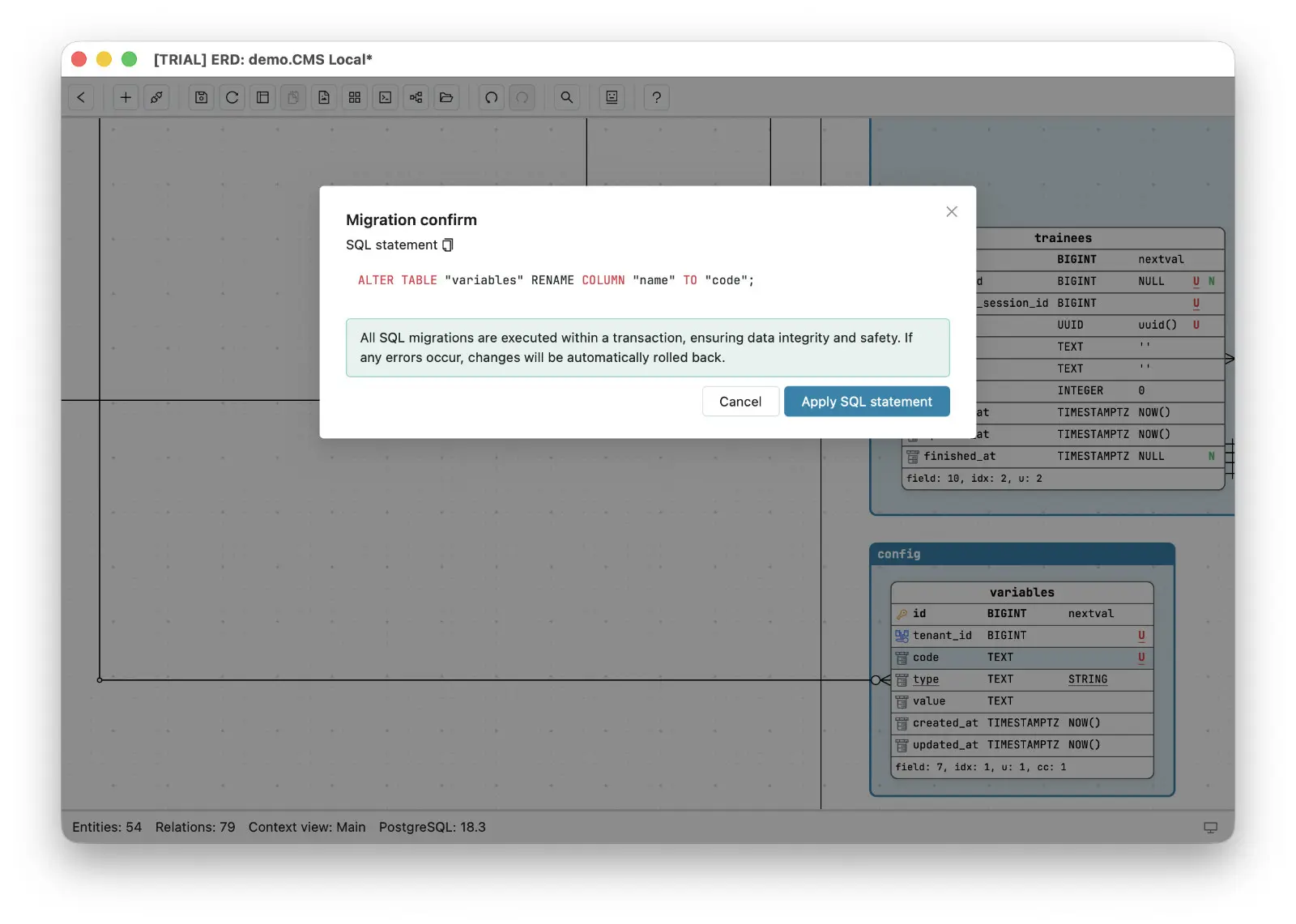
That is the property to demand from any ERD tool for software engineers who work near production: not a promise buried in documentation, but a workflow where writing is a separate, deliberate, reviewable act.
Production is the only honest copy of your schema. You should be able to look at it - carefully, through a tunnel you trust, with credentials in the keychain and a tool that treats reading and writing as different privileges. Document the real thing, hand the diagram to the people who need it, and let the fear stay where it belongs: on the write path.