Reverse-engineering turns a database you already have into a diagram you can read. Whether you inherited a schema, need to document a production database schema, or just want a map before a refactor, Schemity builds the ERD for you. Both methods below are licensed desktop features.
Two ways to reverse-engineer
From a live connection
Add a connection with Conn method set to Direct connection or SSH Tunnel (see the per-engine guides for PostgreSQL, MySQL, SQL Server, and SQLite). Schemity introspects the database and draws every table automatically - there is no table-selection step.
From a SQL dump
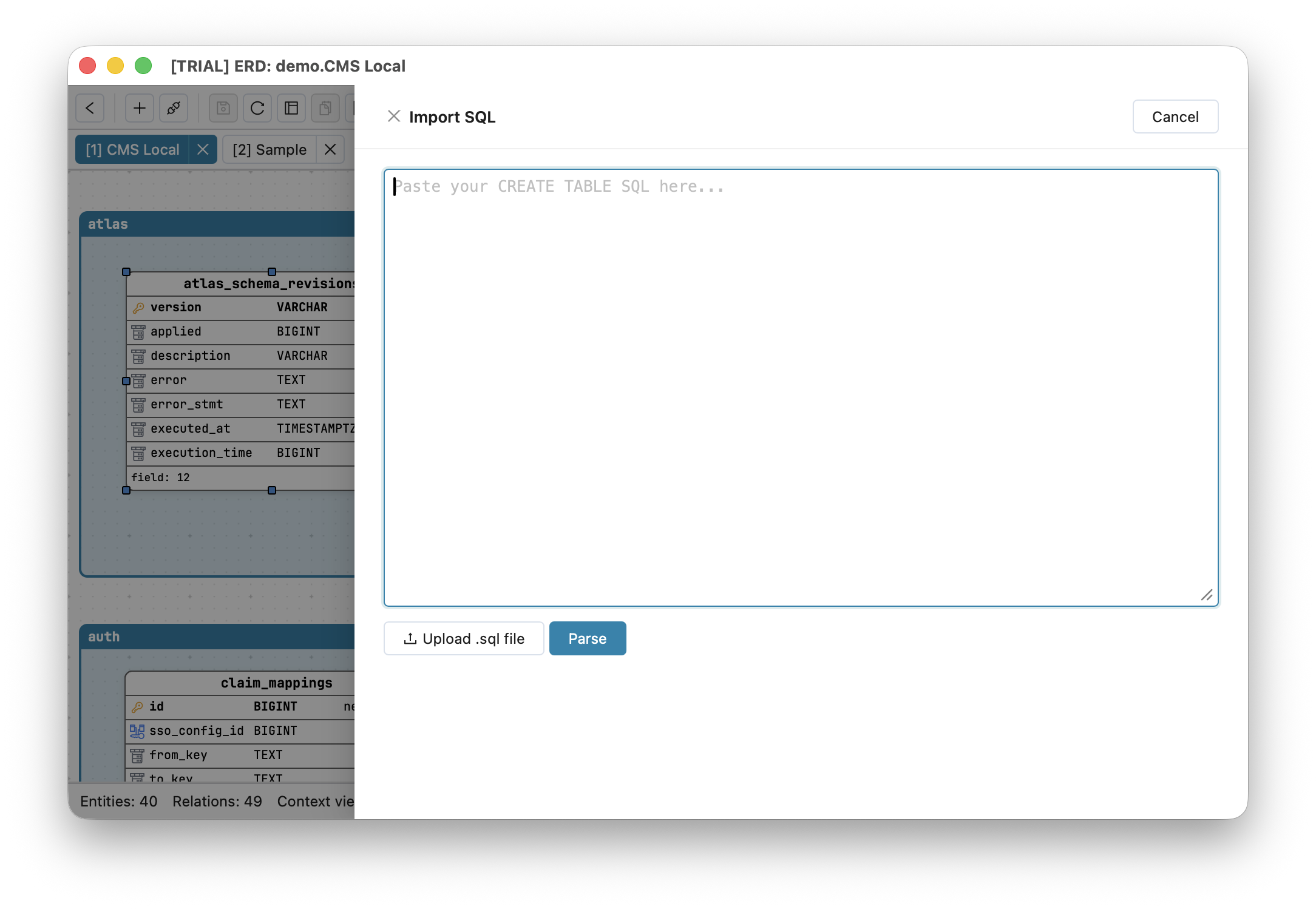
No live access? Schemity can generate an ERD from a SQL dump. Use Import SQL and paste the CREATE TABLE statements (and any ALTER TABLE or CREATE INDEX); Schemity parses them directly using the dialect you pick (PostgreSQL, MySQL, SQL Server, or SQLite). This is the safest path for sensitive systems: you never connect to production, you just import CREATE TABLE to an ERD from an exported file.
What Schemity reads
From a live database or a SQL dump, Schemity picks up table and column definitions with their data types, primary keys, NOT NULL and defaults, foreign keys (with referential actions) drawn as crow’s foot relationships, unique constraints, indexes, and check constraints.
After import
A freshly imported schema is complete but rarely tidy. Next:
- Arrange the entities on The ERD Canvas.
- Split a large schema into focused Context Views.
- Commit the JSON so the documentation is versioned - see Version Control in Git.
Why do this offline
Reverse-engineering a real database means handling a real schema. Doing it in a local ERD tool with no cloud means the structure of your production system is never uploaded anywhere - ideal for client work, NDA projects, and IT-approved environments.