Reverse-engineering turns a database you already have into a diagram you can read. Whether you inherited a schema, need to document a production database schema, or just want a map before a refactor, Schemity builds the ERD for you. Both methods below are licensed desktop features.
How do I reverse-engineer a database into an ERD?
From a live connection
Create a diagram, click Connect to a database, and set Connect via to Direct connection or SSH Tunnel (see the per-engine guides for PostgreSQL, MySQL, SQL Server, and SQLite). Schemity introspects the database and draws every table automatically - there is no table-selection step.
From a SQL dump
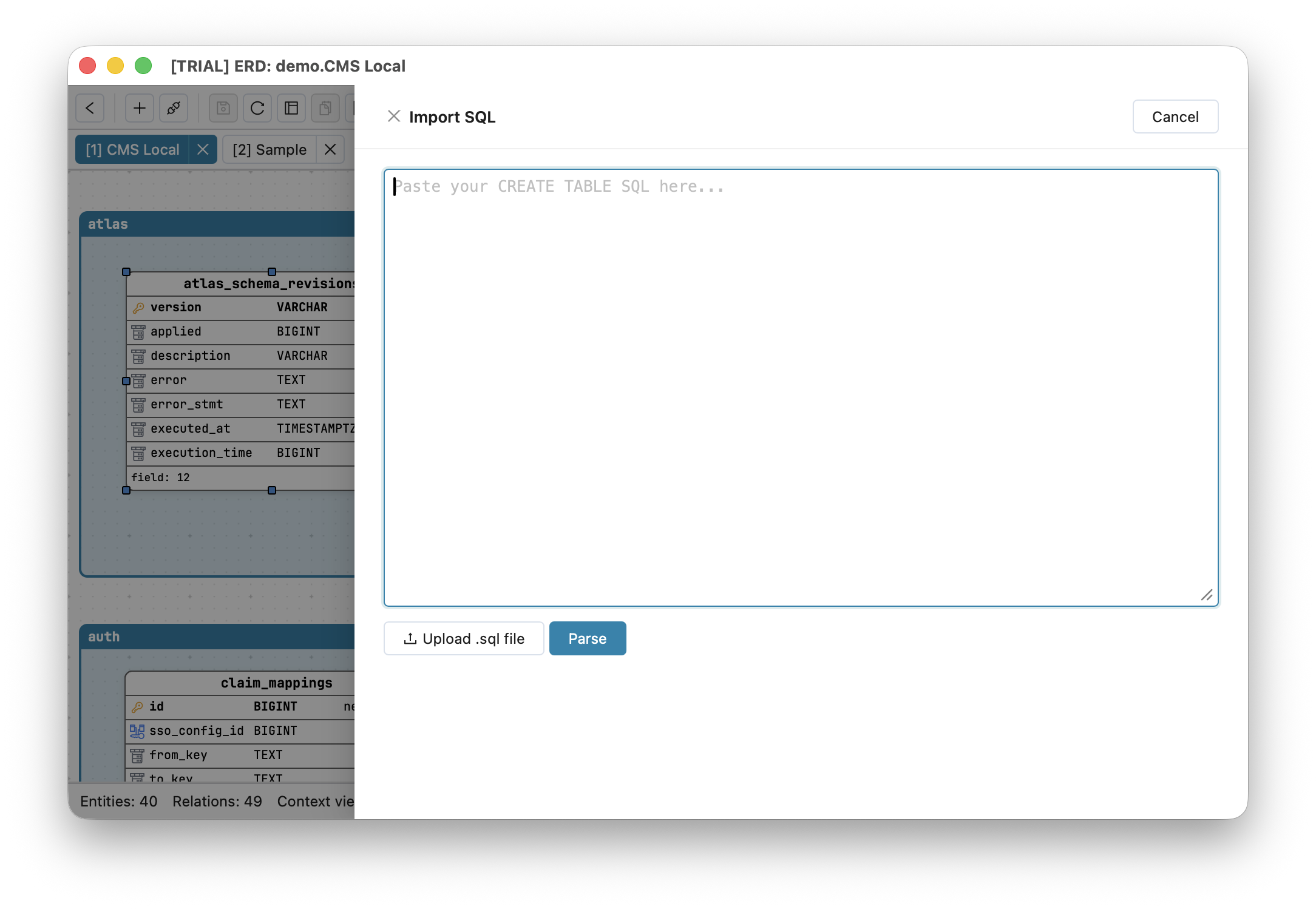
No live access? Schemity can generate an ERD from a SQL dump. Use Import SQL and paste the CREATE TABLE statements (and any ALTER TABLE or CREATE INDEX); Schemity parses them directly using the dialect you pick (PostgreSQL, MySQL, SQL Server, or SQLite). This is the safest path for sensitive systems: you never connect to production, you just import CREATE TABLE to an ERD from an exported file.
What does Schemity read from my schema?
From a live database or a SQL dump, Schemity picks up table and column definitions with their data types, primary keys, NOT NULL and defaults, foreign keys (with referential actions) drawn as crow’s foot relationships, unique constraints, indexes, and check constraints.
What if the database has no foreign keys?
Many real databases declare none: a dbt-built warehouse, a Rails or Django app whose keys were never created, or a schema whose keys were dropped for load performance. Schemity reads the dependencies from column names instead - orders.user_id points at users - and draws them as dashed inferred relations that are never written back to the database. A notification tells you how many were inferred, and they can all be removed in one step.
Can an AI agent help me make sense of a reverse-engineered schema?
Yes, and this is where it helps most. Reverse-engineering gives you every table but no structure: the layout follows foreign keys or names, while the domains the tables belong to are written down in your application code. An AI agent can read both. Schemity is a local MCP server, so Claude Code, Cursor, Codex, or any MCP host working in your codebase can read the schema Schemity just imported and organize the diagram for you.
Watch: an AI agent groups a legacy database by domain
The video runs the whole workflow on a real legacy schema in under two minutes:
- Connect the database. Schemity draws every table at once, with missing foreign keys inferred and drawn dashed.
- Ask your agent to organize it. From inside the codebase, ask it to group the tables into legends by domain and route the relation lines. It reads your models from the code and the schema from Schemity over MCP.
- Review what it did. Every change lands as an unsaved edit in History, named after the agent, so a table in the wrong domain is one undo away. Legends are presentation only and never reach the database.
- Read the module dependencies. Turn the legends into context views in one click, then open the Context Map to see which domains depend on which, with the foreign keys behind every arrow counted.
The agent never gets database credentials: it reads the schema Schemity already holds, and it cannot migrate anything. For the full walkthrough, see letting an AI agent group a legacy ERD by domain.
What should I do after importing?
A freshly imported schema is complete but rarely tidy. Next:
- Arrange the entities on The ERD Canvas.
- Split a large schema into focused Context Views, by hand or by asking an AI agent to group it as shown above.
- Commit the JSON so the documentation is versioned - see Version Control in Git.
Why reverse-engineer a database offline?
Reverse-engineering a real database means handling a real schema. Doing it in database design software with no cloud means the structure of your production system is never uploaded anywhere - ideal for client work, NDA projects, and IT-approved environments. If you bring in an AI agent, the schema goes only where that agent already sends your code, or nowhere with a local model.