
Somewhere in your diagram tool there are years of accumulated work: every table you modeled, every relationship you reasoned through, every hour spent arranging entities so the diagram actually reads. Now imagine you need to move - the vendor changed pricing, went cloud-only, or you simply outgrew the tool - and you open the export menu to take your work with you. You find a PNG. Maybe some SQL. Nothing that another tool can open as a diagram.
You would not be the first to notice. On the community forum of one popular diagramming tool, users have been asking for exactly this: “We really miss the option to export our data in a structured data format where we could import it back later while keeping all the layout info”. And the traffic runs both directions - over on ChartDB’s issue tracker, a longtime dbdiagram.io user asks for DBML import and export support so that diagrams can move between tools at all. On both sides of the fence, the request is the same: let me carry my work in and out.
The exports were never meant to be exits
Look closely at what most tools call “export” and you will notice a pattern. The image export produces a picture of your schema - fine for a slide, useless as a working model. The DDL export produces CREATE TABLE statements - the structure survives, but every layout decision is gone: the grouping that showed your domains, the line routing that kept relationships traceable, the arrangement that took an afternoon to get right. The one export nobody offers is the diagram itself, as a structured file another tool - or even the same tool, later - could open.
That is not an oversight; it is the storage model. When a tool keeps your diagram as a row in its own database, in a format only it reads, the diagram is not really yours in any practical sense - you can look at it through the vendor’s window, and that is all. The part of your work most expensive to recreate, the layout that encodes your analysis, is precisely the part that cannot leave.
Every way in, without retyping
Schemity treats portability as an architectural property, and it starts at the entrance. There are four ways to bring an existing schema in, and none of them involve retyping a single table.
If your schema lives in another diagram tool, export it as DBML and import the file into Schemity - tables, fields, and relationships arrive as native entities on the canvas. Anything from dbdiagram.io, dbdocs, or the wider DBML toolchain moves over in one step. If your schema lives in SQL, import CREATE TABLE statements or a full dump and Schemity generates the ERD from the SQL automatically. And if your schema lives in a running database, skip the files entirely: connect and reverse engineer the live schema into an ERD - PostgreSQL, Supabase, MySQL, MariaDB, SQL Server, or SQLite.
Then there is a fourth door, the only one that carries layout too: if the schema already lives in Schemity’s own JSON files - a repo a teammate pushed, a folder a client handed back - pull or copy them and import the folder as a workspace, or drop them straight into ~/schemity. Everything arrives exactly as it was arranged, which is a hint about where this post is heading.
Whichever door you use, the expensive part of switching - re-entering the model while wondering if the move was worth it - simply does not happen.
Every way out, in a format someone else reads
The same doors lead out, because a tool that only imports is just lock-in with better manners.
Schemity exports DBML, so your schema stays portable to dbdiagram.io and every DBML-based tool - moving in is not a one-way door. It exports SQL at whatever granularity you need: one entity, one legend’s worth of entities, or the full schema. And for documents and reviews it exports JPG, PNG, and SVG - the picture formats are still there; they are just no longer the only option.
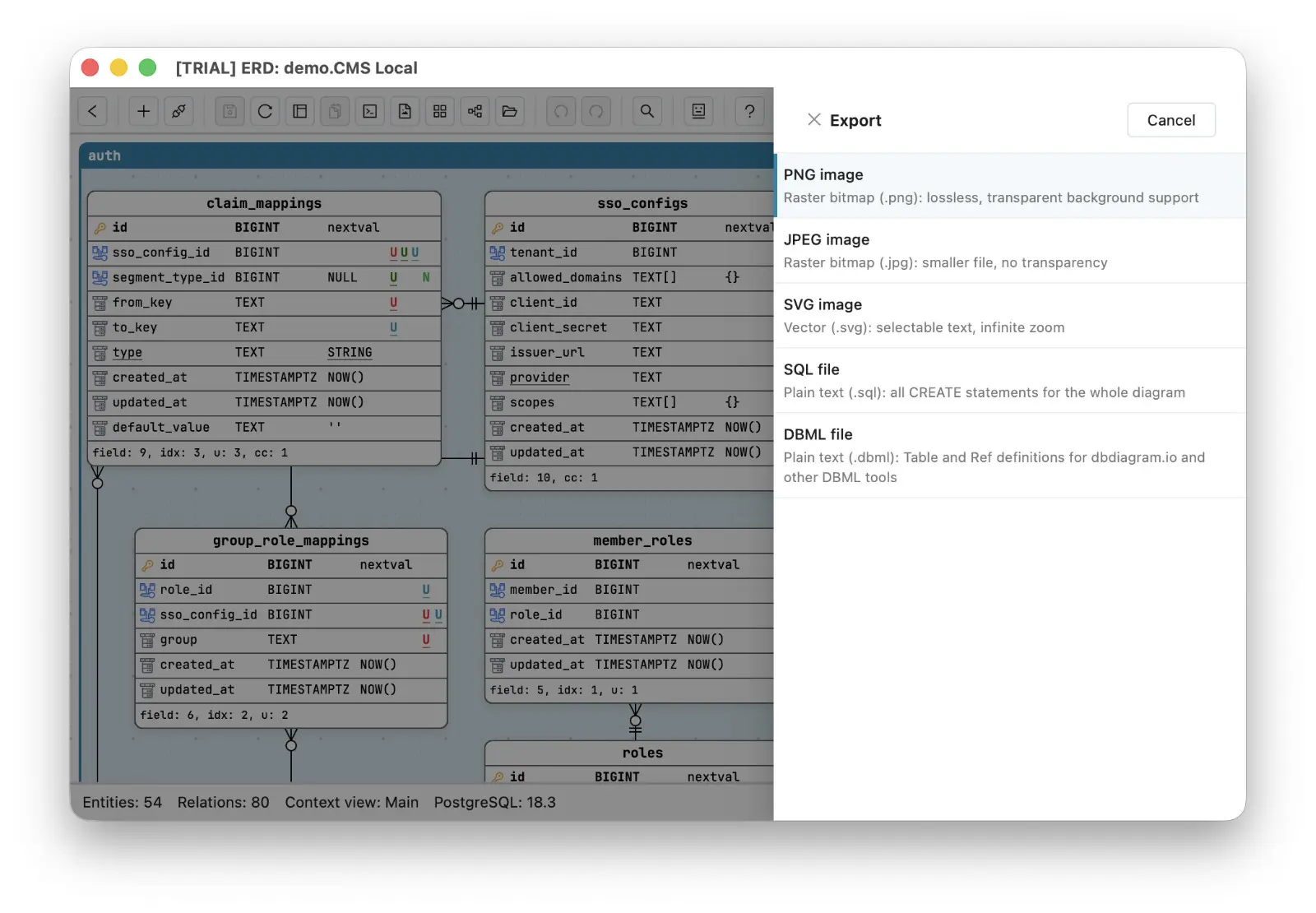
One honest note: DBML describes schema, not everything a diagram holds. Tables, fields, and relationships survive the round trip; canvas layout, check constraints, and line routing are things the text format has no words for. Which raises the obvious question - where does the layout live, then?
The deepest exit is the file you already have
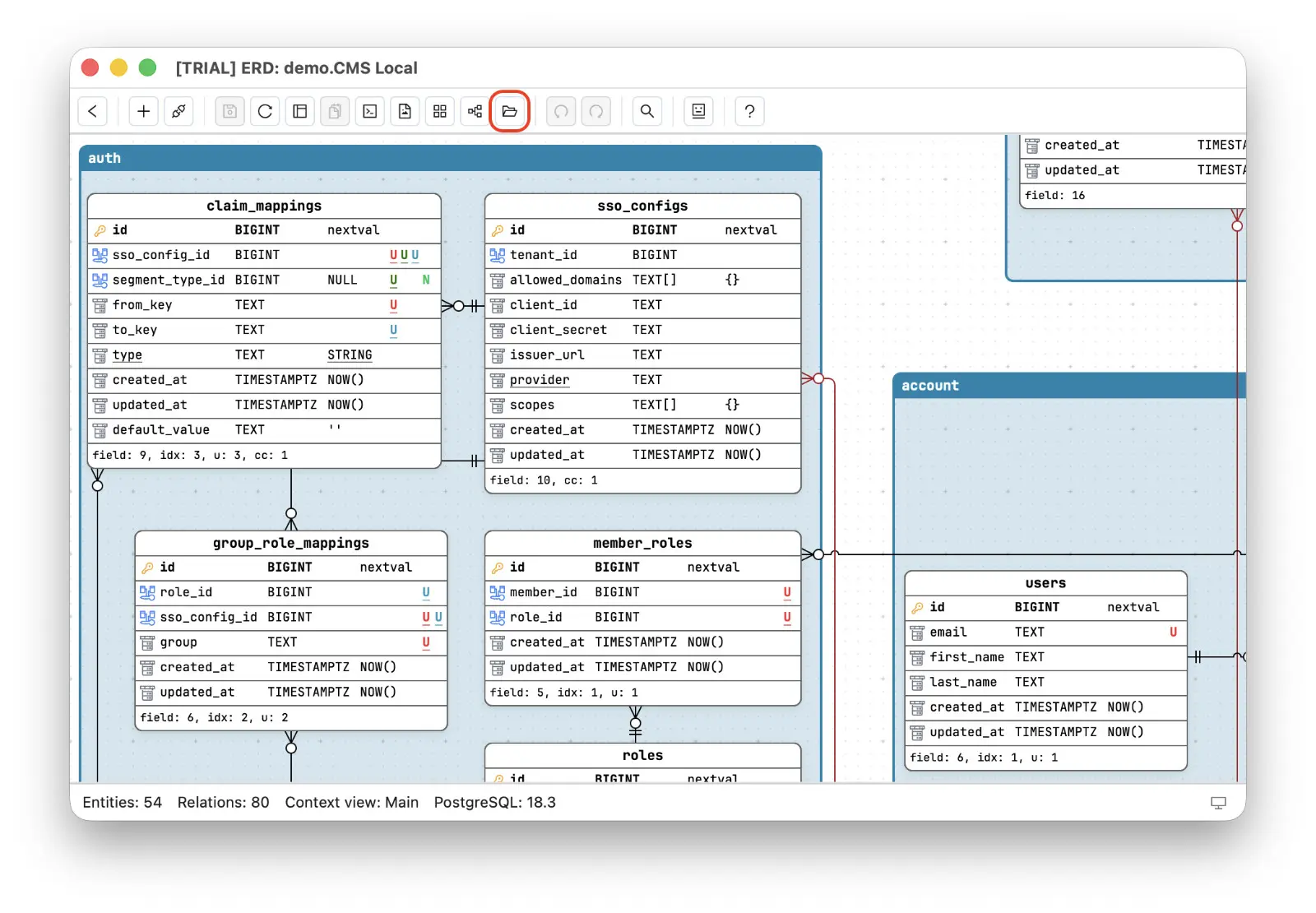
Here is Schemity’s real answer to that forum request, and it is almost anticlimactic: the structured, layout-preserving, reimportable format the users asked for is simply how a local ERD tool stores its work. Every diagram is a plain JSON file on your own disk - schema, layout positions, line routing, colors, all of it. Schemity does not even make you go looking for it: press Ctrl/Cmd + Shift + O on the diagram page - or click “Open workspace folder” there or in the workspace’s diagram list - and the folder opens in your native file manager, your work sitting in plain sight as ordinary files. Copy the folder and you have exported everything. Import a workspace folder on another machine and you have reimported it, layout intact. There is no export step to beg the vendor for, because there is nothing to export from - you are already holding the file.
That one fact quietly settles the whole lock-in question. Backup is a file copy. Sharing a workspace is sending a folder. History is a Git repository around the files, which is what makes a Git-native ERD tool possible in the first place - teams that want to go further keep the ERD in the repo next to the code. And if you ever leave Schemity, you leave with readable JSON, portable DBML, complete SQL, and clean images - not a screenshot of your own thinking.
There is a reason an offline desktop ERD tool can afford this openness and a subscription platform cannot. A one-time purchase ERD tool does not need your diagrams as leverage to keep you renewing; it has to earn the next open on merit. If you are weighing a dbdiagram.io alternative - or worried about the day a cloud tool loses a diagram you cannot re-download - apply the exit test before you commit years of work: ask not what the tool lets you create, but what it lets you take with you. The tools worth staying with are the ones you could leave.