Schemity re-syncs a reverse-engineered ERD against the live database every time you open the diagram: entities that still exist keep their layout, tables dropped from the database vanish from the picture, and new tables show up ready to drag into place - marked on the minimap so you can see where they landed without hunting across a large canvas. That single behavior is the answer to the story every team knows by heart.
You spent an afternoon making the diagram right. Entities arranged by domain, relationship lines routed so they don’t cross, colors marking the bounded contexts. It went into the design review, everyone nodded, and the team started building.
Three sprints later, someone opens it and gets confidently lied to. The subscriptions table grew four columns, invoices split in two, and a whole notification domain appeared that the diagram has never heard of. The database moved; the picture didn’t.
This is the most repeated complaint about database diagrams anywhere engineers discuss them. In a Hacker News thread about diagram tools, one commenter concludes that “comprehensive ERDs are becoming rare, and that’s okay. Their value is short-lived due to the high cost of maintenance.” Another puts the structural problem in one line: “the diagram is not the database. So we’ve got two jobs now.” You are hired to design a system, and the diagram quietly hires you for a second position - keeping the picture honest.
The trap: update by hand, or re-import and lose everything
Every database design software gives you the same two bad options once the schema drifts.
Option one: maintain the diagram manually. Read the migrations, replay each change onto the canvas by hand, and hope you never miss one. Nobody sustains this. It is exactly the duplicated bookkeeping that makes teams abandon their diagrams - the second job, performed forever, with drift as the penalty for a single lapse.
Option two: throw the diagram away and re-import from the database. Now the schema is accurate and the diagram is wreckage. Most tools re-import into a fresh auto-layout, and users of one popular diagram tool describe the result precisely: “trying to import tables appear in random place and order.” Your afternoon of arrangement - the domain grouping, the routed lines, the analysis that layout encodes - is gone, and you get to do it again after the next migration. The layout work wasn’t decoration; where you place tables is how you show what the schema means, and re-import shreds it on every refresh.
So teams pick a third option by default: they stop opening the diagram. The wiki page keeps its screenshot from last quarter, and new engineers learn the schema by querying information_schema like archaeologists.
Opening the diagram is refreshing it
Schemity’s answer is to make the choice disappear. For a diagram created from a live connection, the database is the source of truth - and the diagram re-syncs itself against it.
Every time you open a reverse-engineered ERD, Schemity pulls the current schema and maps your existing diagram onto it. Re-sync merges what changed instead of starting over:
- Entities that survived keep their layout. Positions, waypoints, colors - the arrangement you invested in stays exactly where you put it.
- New tables simply appear, ready to be dragged into their place in the picture. Placing the new
notificationsentity where it belongs takes seconds, not an afternoon. - Anything dropped from the database is dropped from the diagram. No ghost tables documenting a schema that no longer exists.
Need the refresh mid-session - say a migration generated from your ORM models just ran? Reset ERD pulls fresh database information on demand.
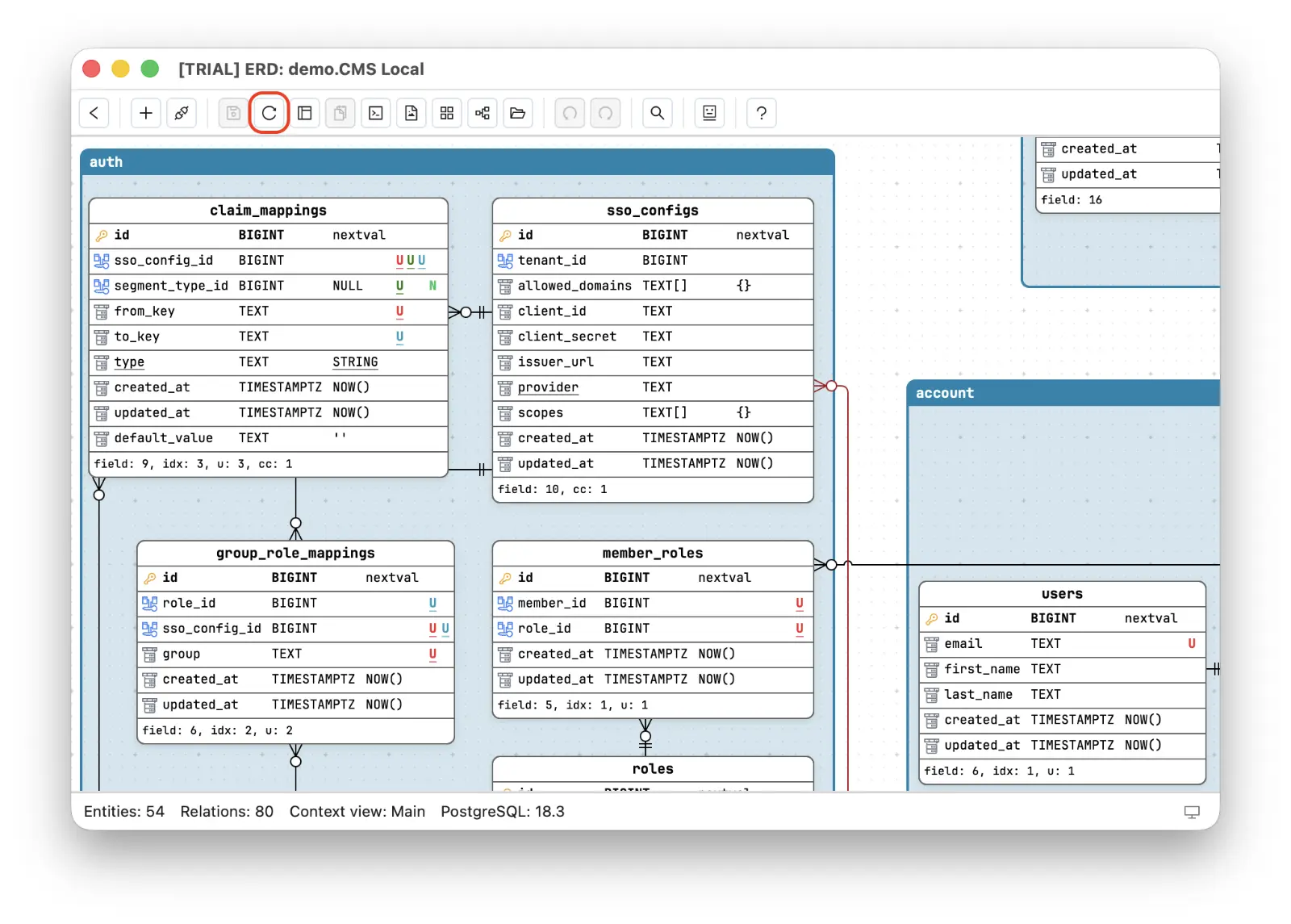 Either way, the second job is gone: you never replay migrations by hand, and you never sacrifice your layout to stay accurate. Reverse-engineering the database stops being a one-time import and becomes a standing connection to the truth.
Documentation that maintains itself
Once the diagram tracks the database, things that used to be chores become side effects.
You can finally document a production database schema without scheduling the upkeep, because there is none: whoever opens the diagram is looking at today’s schema, not the screenshot era. The main view stays the ERD single source of truth while context views keep each domain’s focused slice - and since they are read-only perspectives on the same model, they inherit every re-sync too.
And because Schemity is a database design software that stores the whole diagram as plain JSON, a re-sync has one more trick: commit after it, and the diff is the drift report. You can see exactly which tables and columns changed under you since the last commit, reviewable in a pull request like the rest of the ERD that lives in your Git repo. Keep a diagram per environment and the same trick answers a harder question - how far staging has drifted from production.
Re-sync is the pull direction. When you are the one changing the schema, the migration SQL diff pushes your diagram edits back as ALTER statements - the loop that lets you stop hand-translating between SQL and your ERD in either direction.
A diagram you trust is one you never had to remember to update. Schemity is a database design software doing this offline, over your own connection - the schema of your production system stays on your machine, and the only thing that leaves the building is the excuse for stale documentation.
Frequently asked questions
How do I keep an ERD up to date with the database?
Make the live database the source of truth and let the tool re-sync. In Schemity, reopening a reverse-engineered diagram automatically pulls the latest schema, and a Reset ERD action does the same on demand - no manual redrawing.
Does re-syncing the ERD destroy my diagram layout?
No. Existing entities keep their positions, colors, and arrangement; dropped tables and fields are removed; new tables appear ready to drag into place. The layout work you invested survives every sync.
Which should be the source of truth - the diagram or the database?
For documentation of a running system, the database. The diagram is the versioned, human-readable view of it: re-sync keeps the view honest, and Git keeps its history. When you want to drive changes from the diagram instead, use the reviewed migration SQL diff as the controlled path.