Break complex schemas into focused Context Views - one source of truth, many
perspectives. Your schema never leaves your machine. One-time purchase, no subscription.
A schema visualizer with smart defaults, drag-and-drop relationships,
and a visual editor that gets out of your way - so your team spends time
understanding the schema, not fighting the tool.
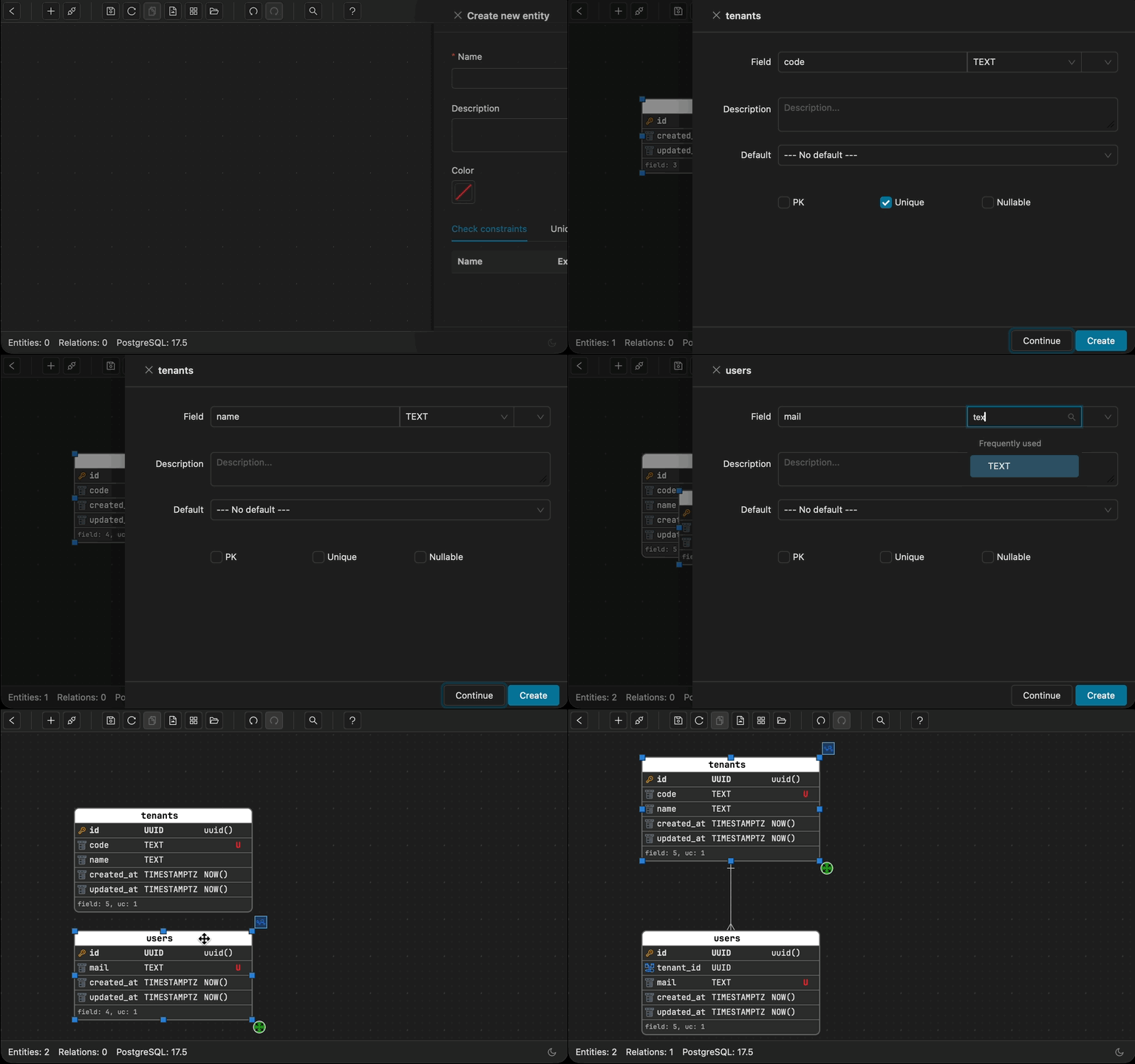
Rapid Prototyping
Sketch your schema in seconds. Go from concept to concrete entities before the idea fades.
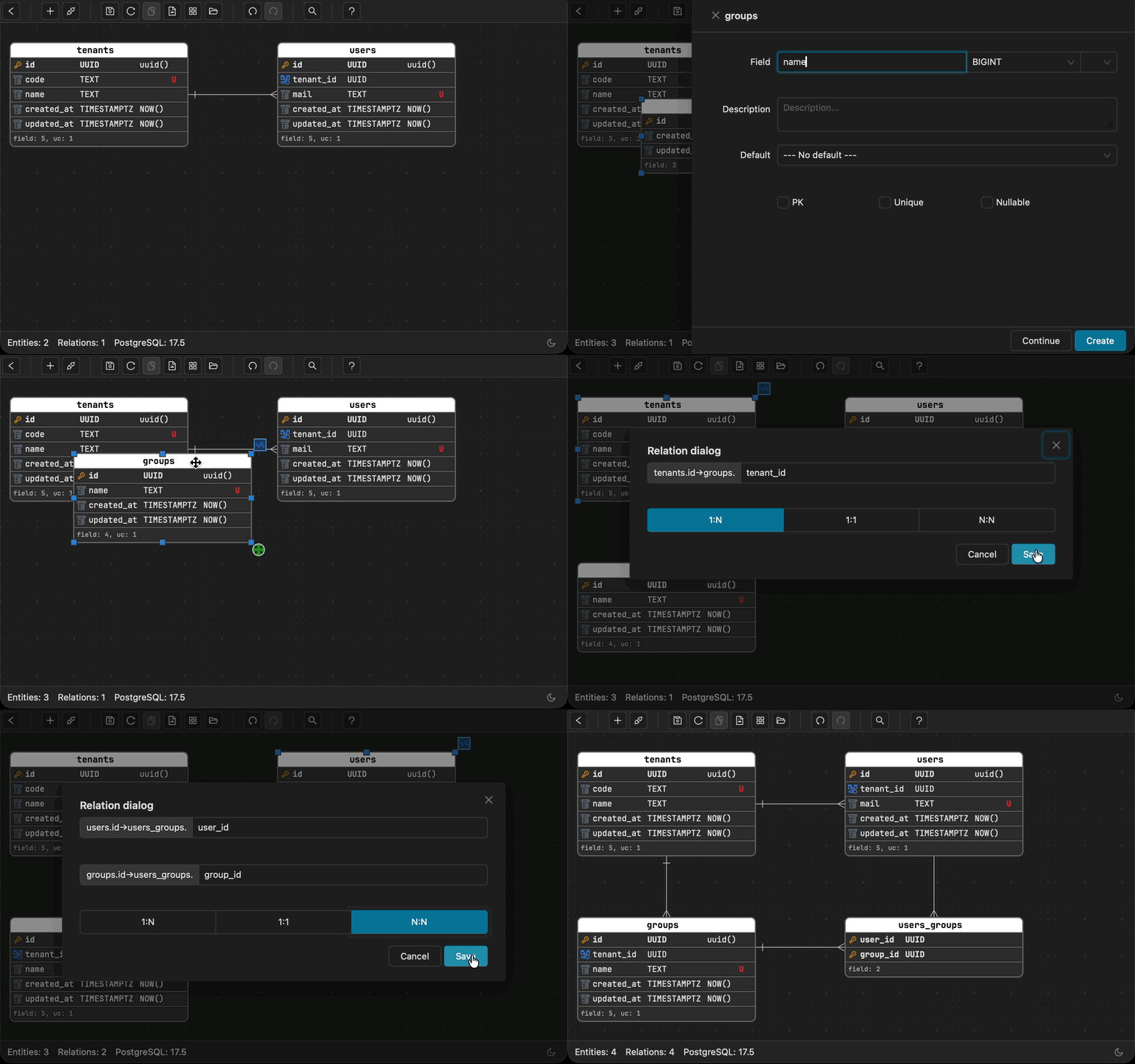
Smart Relationships
Create 1:N, 1:1, or N:N relationships with simple drag-and-drop.
Auto junction table generation, auto FK naming - no manual wiring needed.
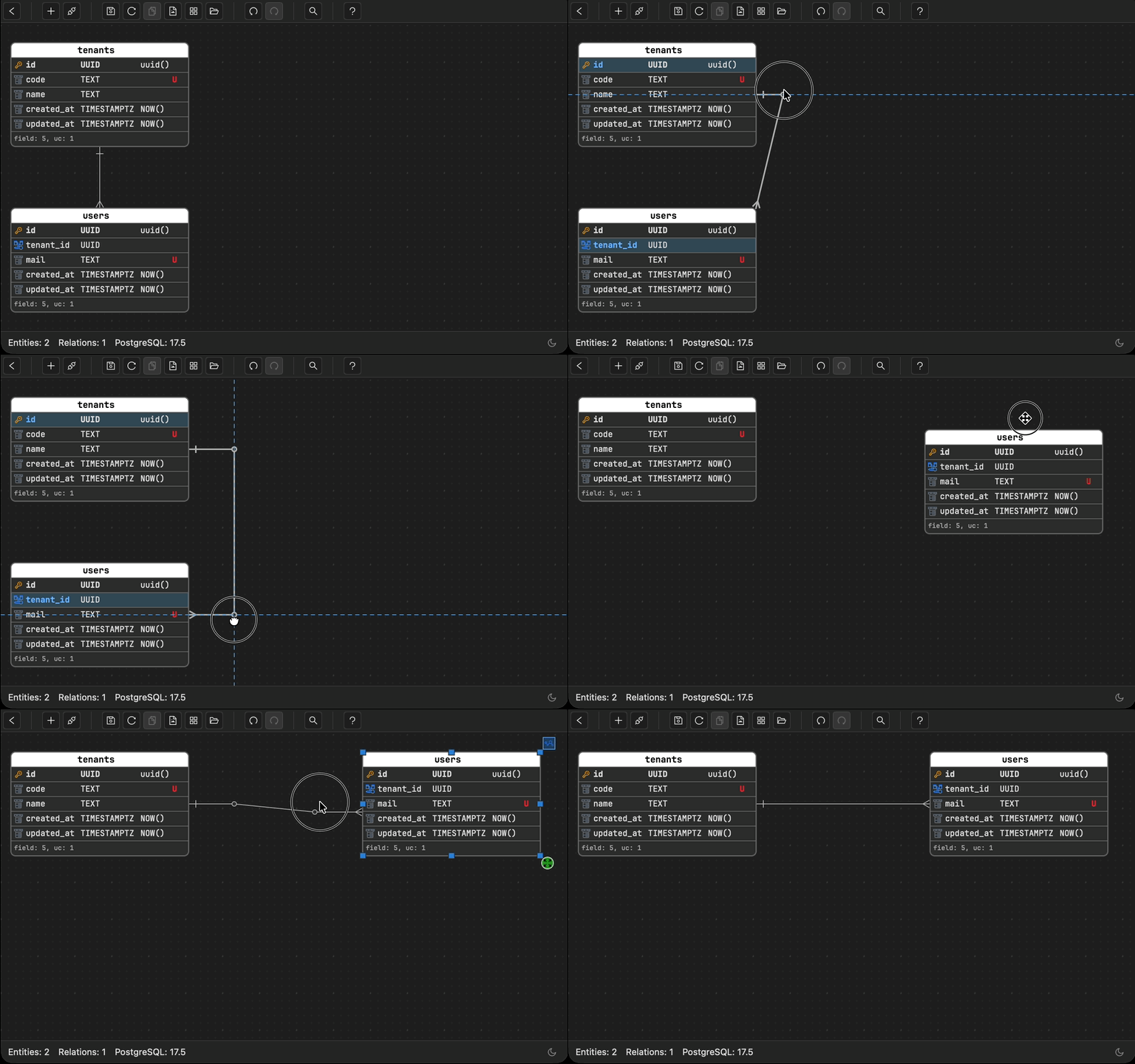
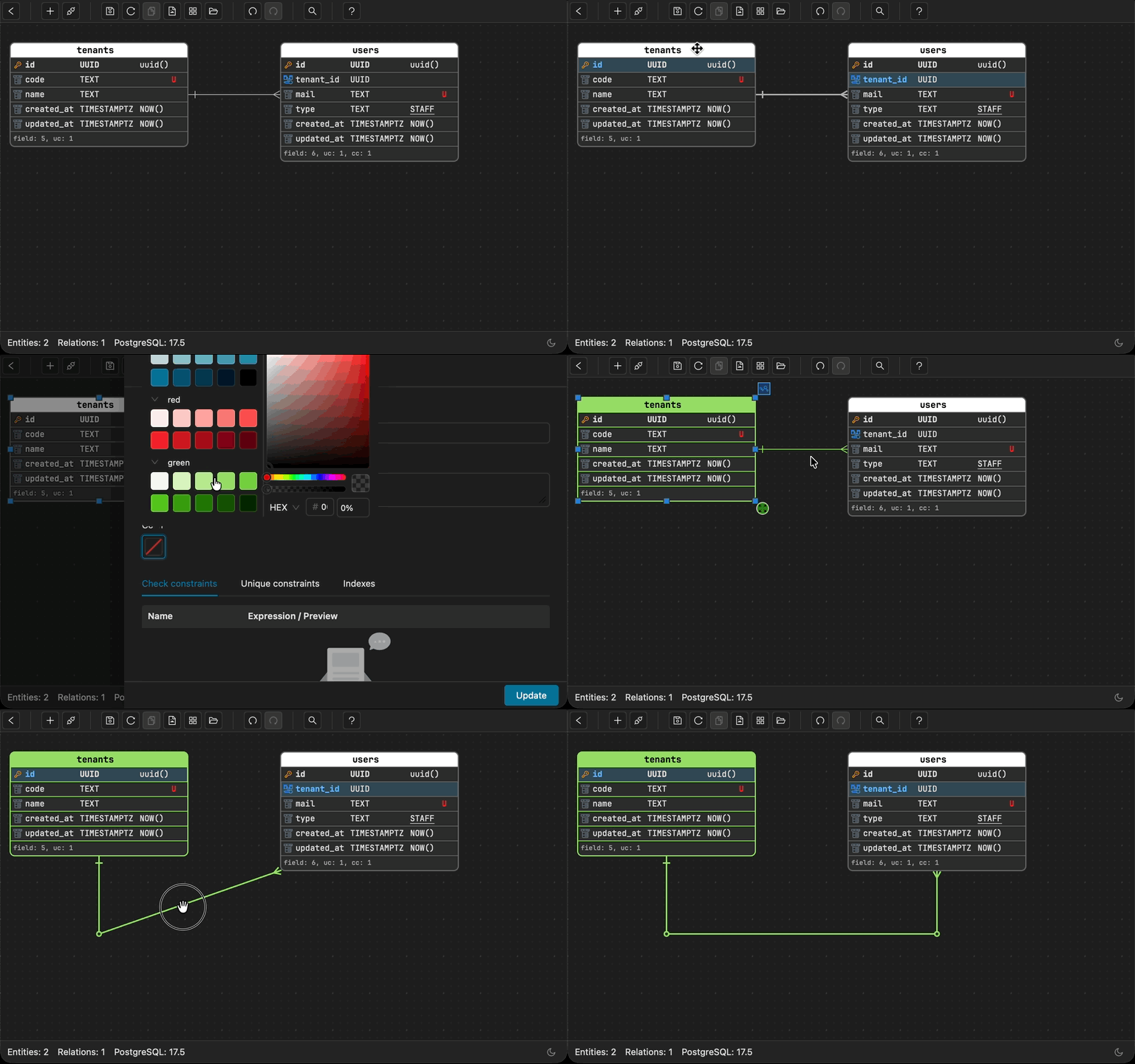
Flexible Relationship Lines
Arrange your ERD the way you think about it,
not the way the layout forces you. Lines adapt and
reroute automatically. Add ERD custom waypoints for full control.
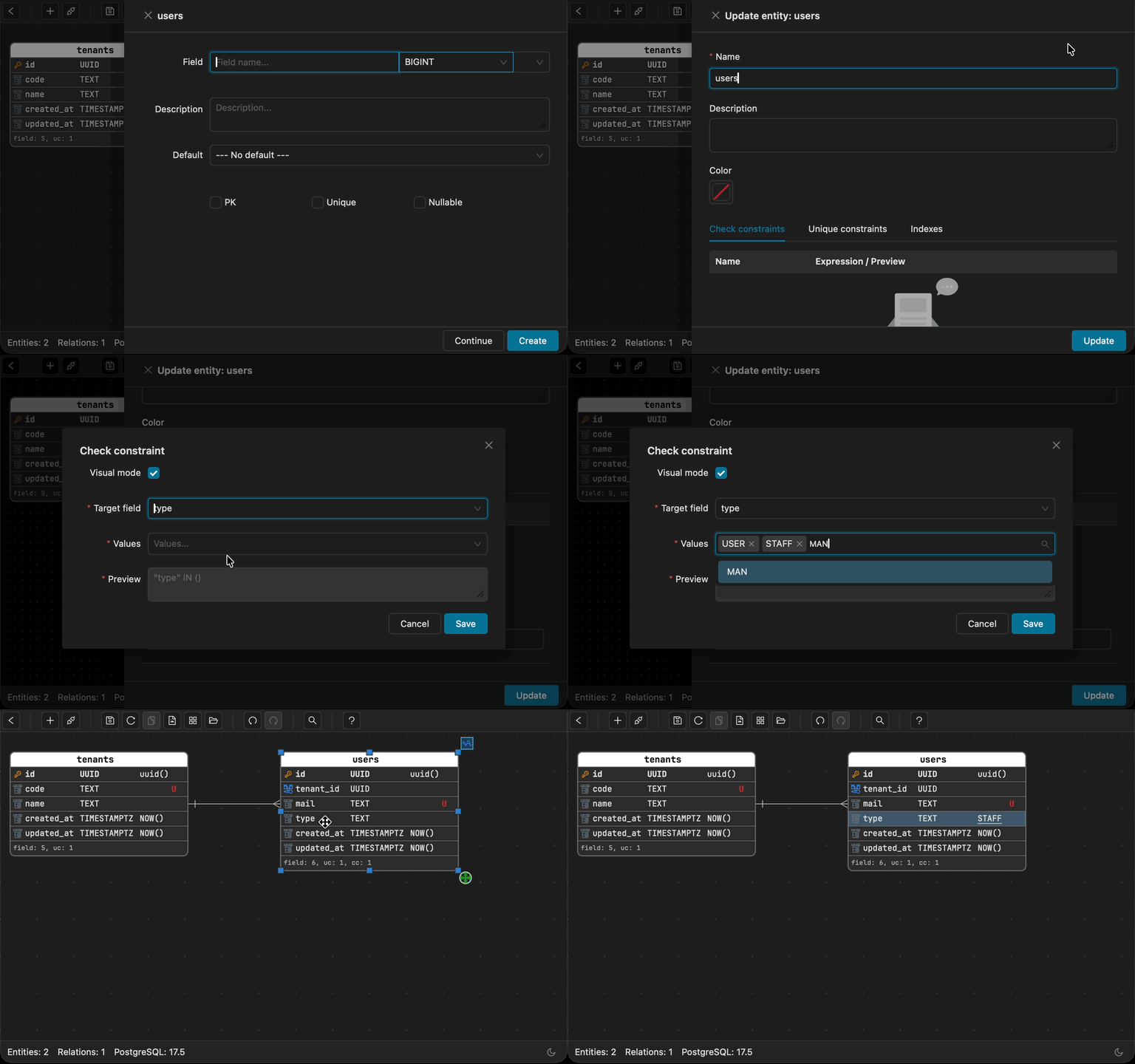
Check Constraints as Documentation
Full check constraint support - write any expression you need.
For IN constraints, Schemity extracts the allowed values into a
selectable dropdown for default values - self-documenting and
enforceable in one step.
Custom Entity Colors
Group related entities visually. Color-code entity groups
and their relationship lines for instant clarity on large
schemas.
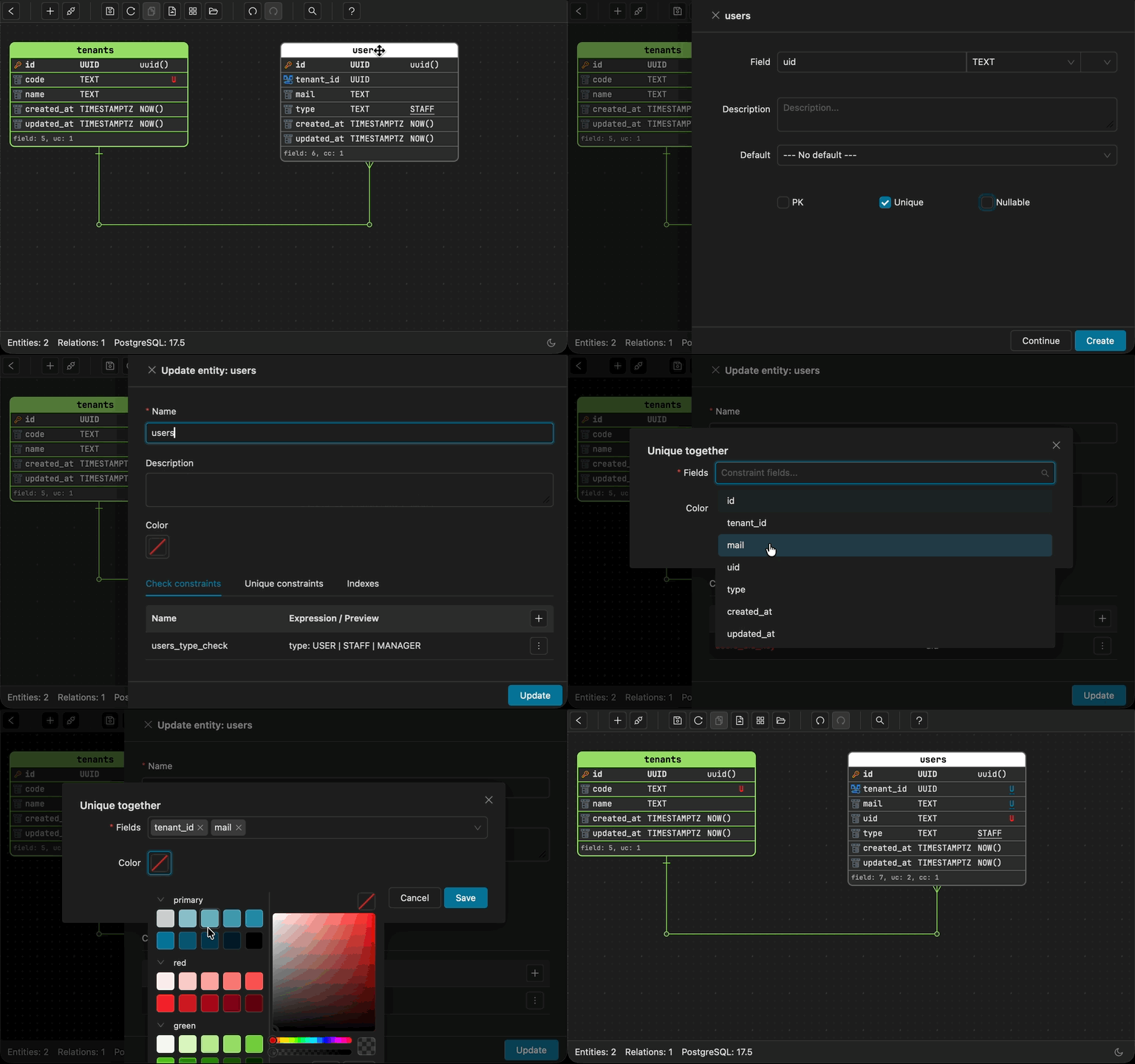
Clear Unique Together
Instantly distinguish between single-field unique
constraints and ERD composite unique constraints at a
glance.
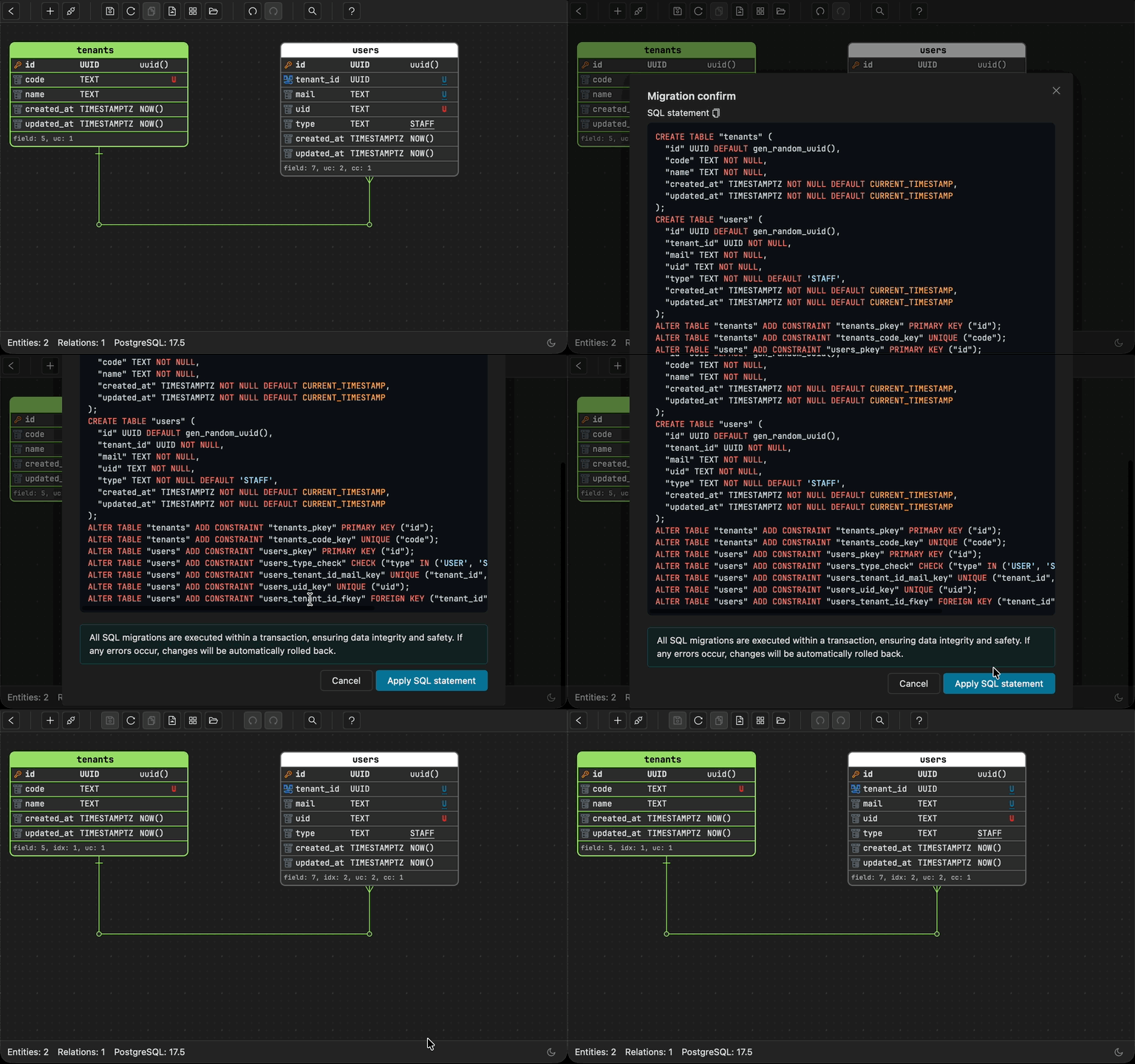
Safe Migration Workflow
Every schema change requires explicit migration confirmation -
no accidental alterations to your database. Review the exact
ERD migration SQL diff before applying.
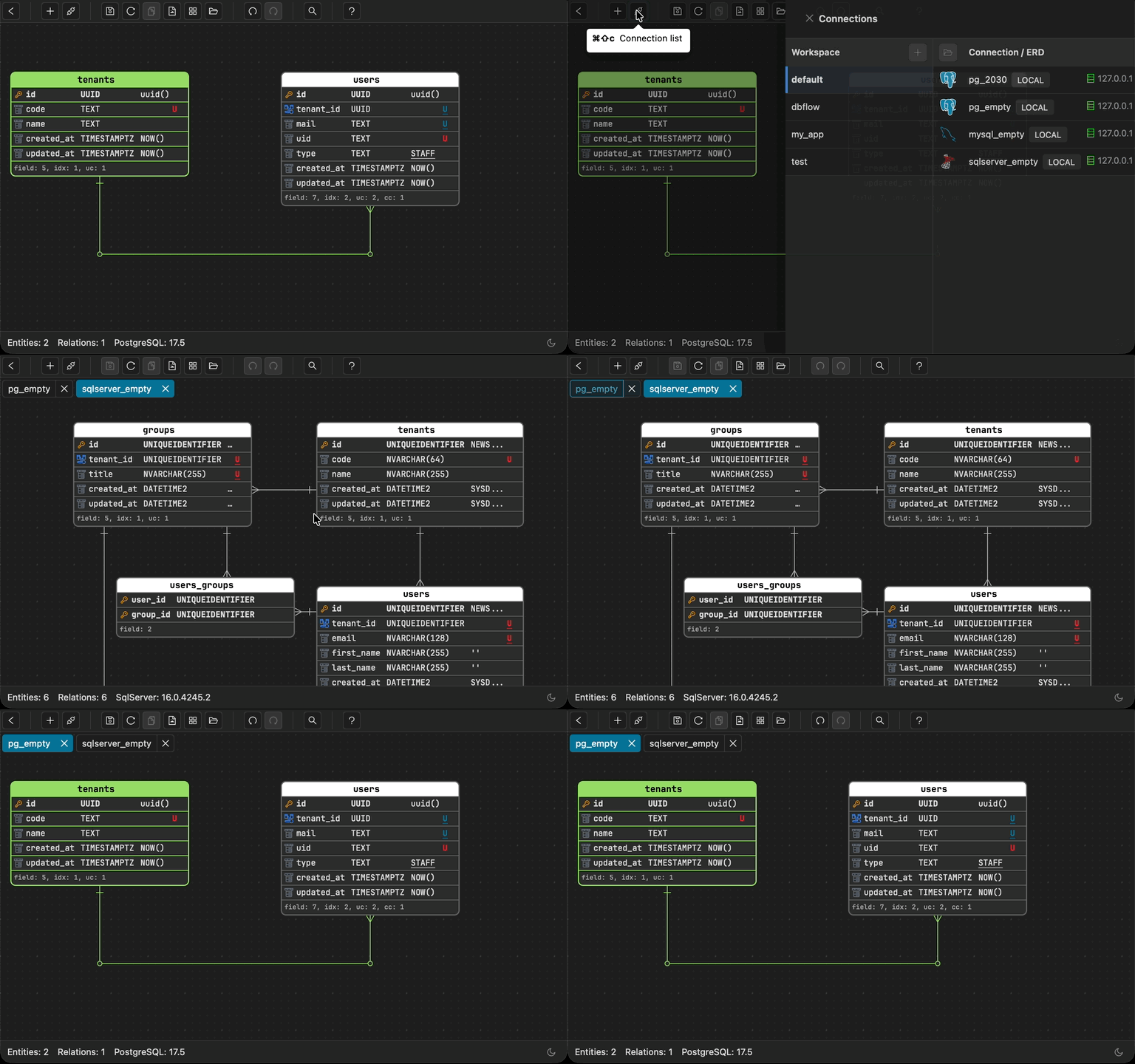
Tabs as Systems
Use tabs to separate the systems you work on - one product,
one tab. Quick number-key navigation keeps you focused as you
move between domains.
Schemas as Structure
Model across PostgreSQL schemas - not just the public schema.
Use them to express domains and structural boundaries inside
a single database.
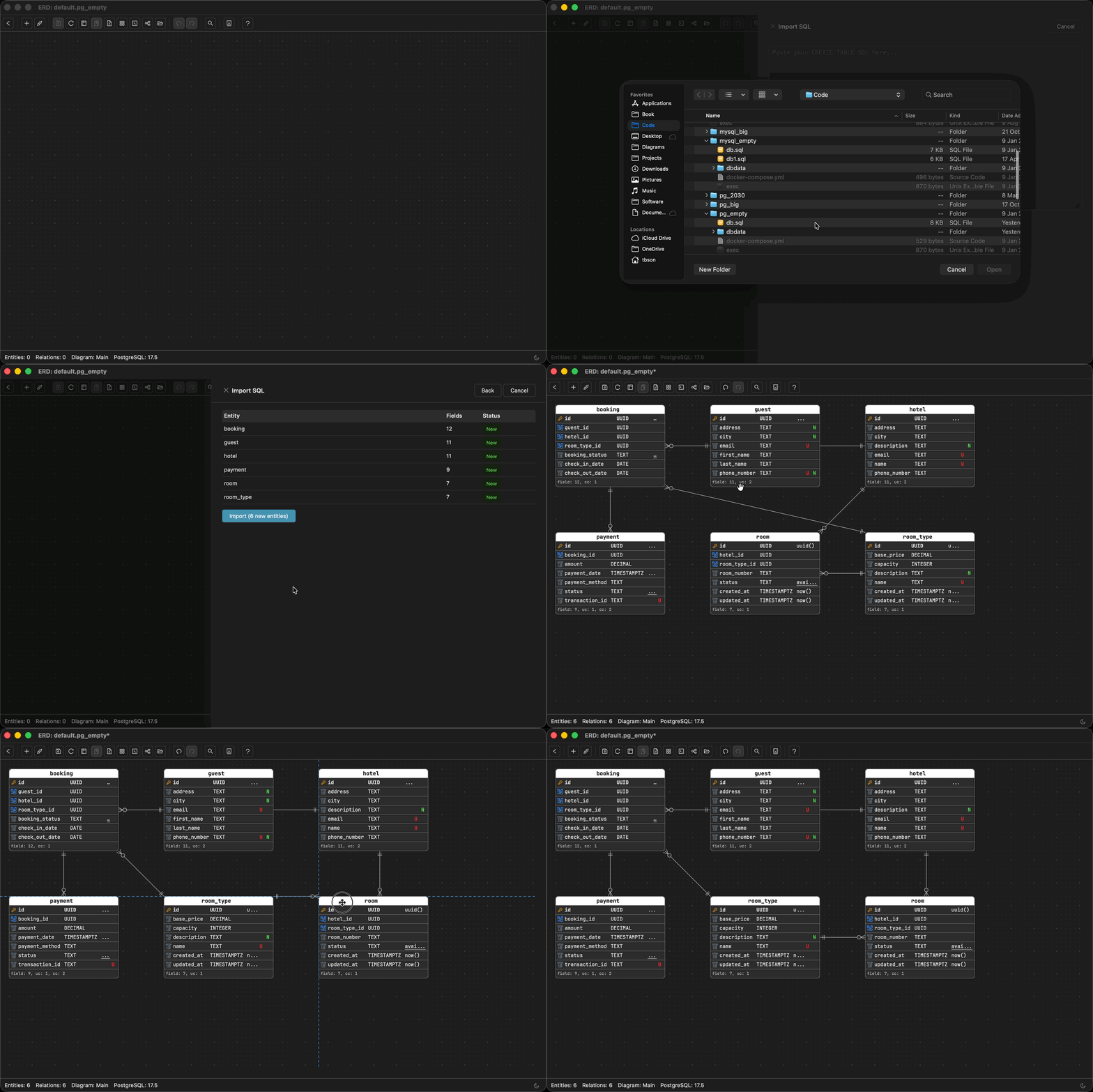
Import SQL
Import CREATE TABLE statements or load a SQL dump file.
Schemity builds entities, fields, and relationships
automatically - no database connection needed.
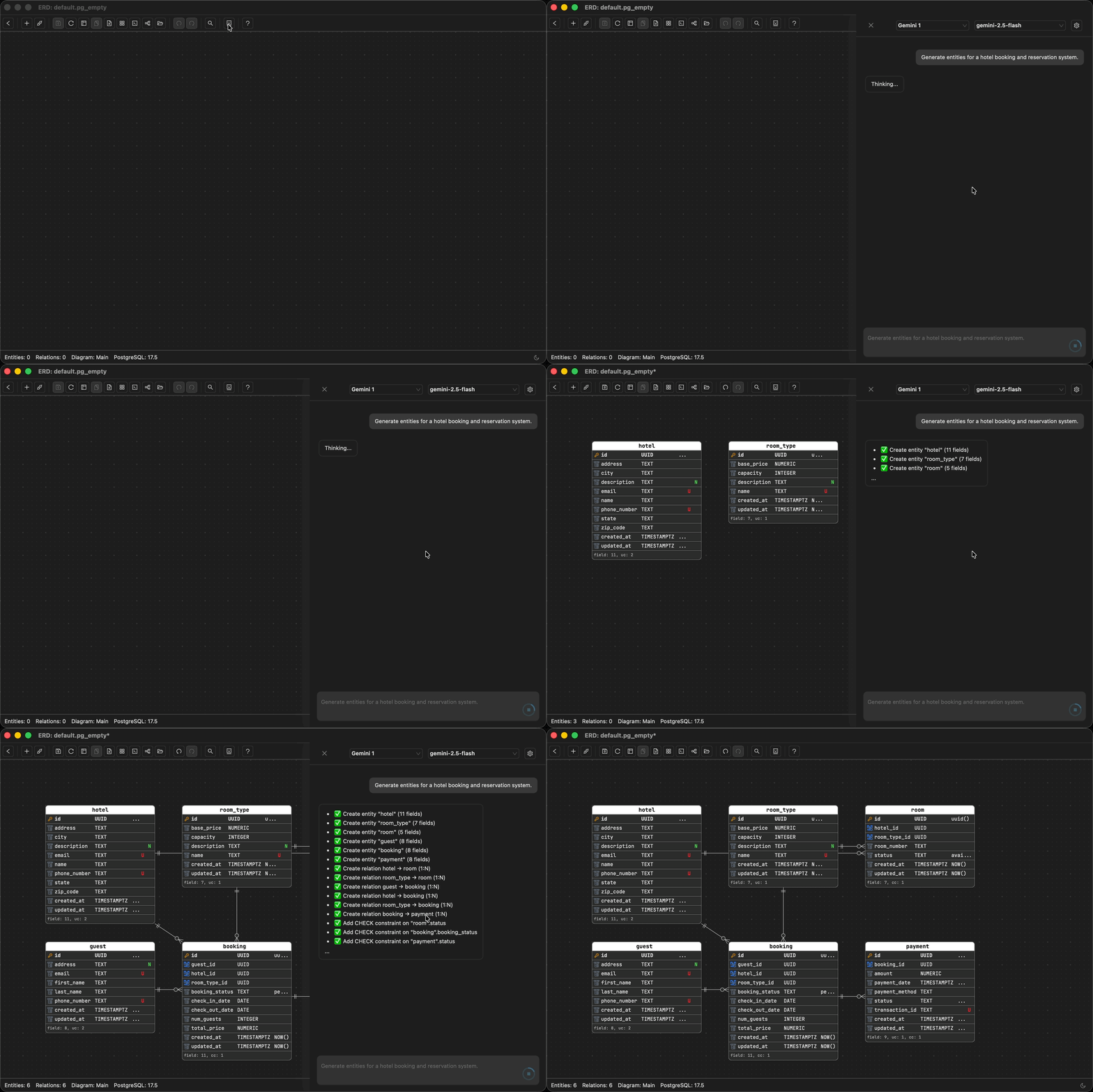
AI Assistant
AI ERD without cloud - full control from chat. Create entities,
define relationships, edit or delete fields, and import
entities into Context Views. BYOK - your data goes directly
to your AI provider, never through our servers.
Features
From One Messy ERD to Many Focused Context Views
Most ERD tools force one giant ERD and hope you can read it. This local
ERD tool lets you keep a single source of truth, then project it into Context
Views - auth, billing, analytics, whatever perspective you need. Your client's
schema never touches a third-party server. An ERD tool approved by IT that works
on locked-down corporate laptops. Document production database schemas in minutes,
not weeks.
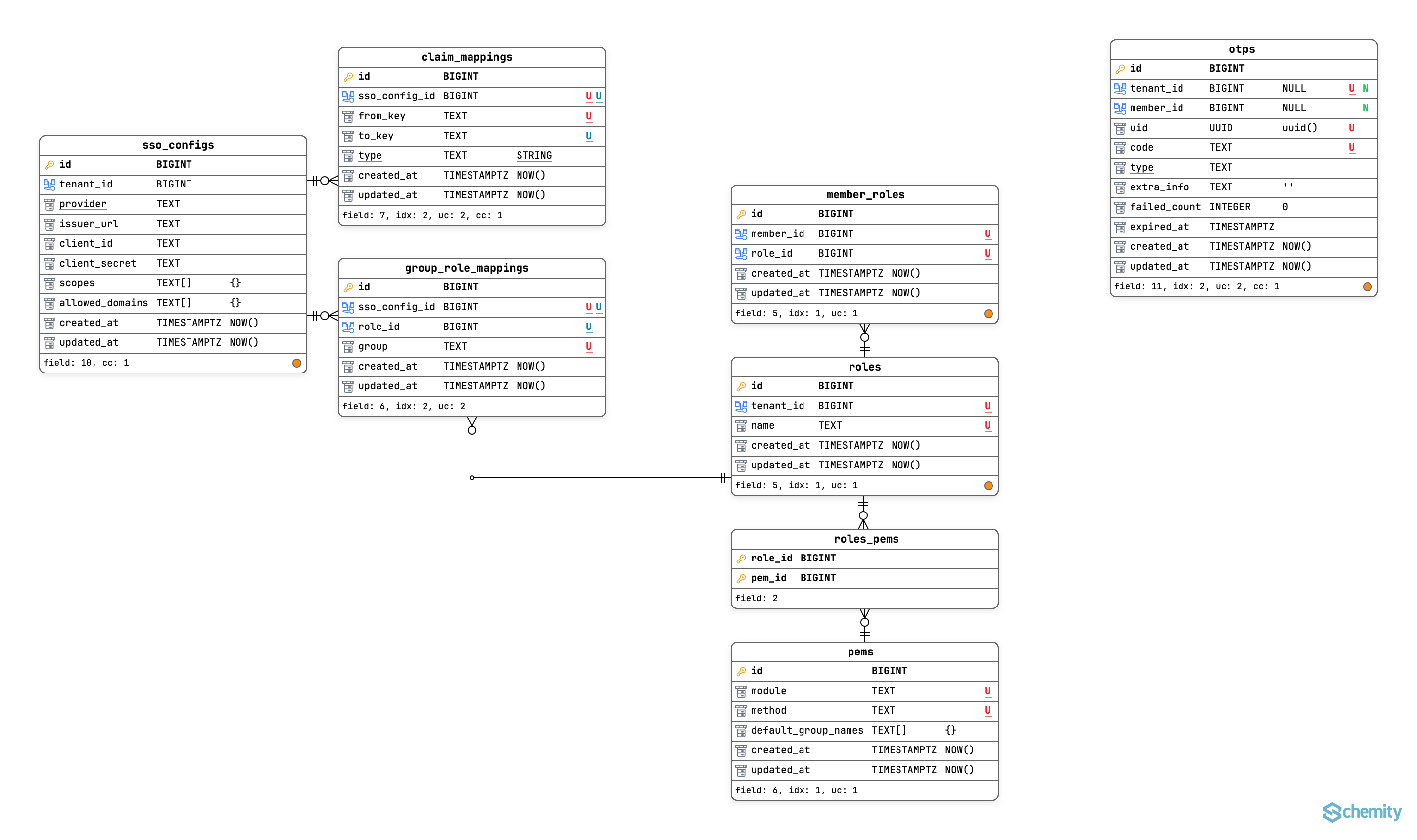
Relation as First-Class Citizen
Create foreign keys by dragging fields between entities - 1:N, 1:1,
or N:N with auto junction table generation. Color-coded connection
lines and smart routing keep complex schemas readable.
Git-Native, Not Cloud-Locked
Your ERD lives as a JSON file in your repo - never on a third-party server.
A Git-native ERD tool with JSON storage, safe for NDA projects and
client work. Commit it, review it in PRs, version control your database
diagram in Git.
Context Views: One Schema, Many Perspectives
Your main ERD is the single source of truth. Database context views
are read-only focused views for each concern - auth, billing, analytics.
Ready for audits, onboarding, or handovers without rebuilding from scratch.
Document Production Schemas in Minutes
Reverse engineer PostgreSQL, MySQL, or SQL Server into a visual ERD,
then generate the exact migration SQL diff as you evolve the design.
Turn weeks of audit preparation and handover documentation into minutes.
Constraints Without the Guesswork
ERD check constraints support, composite unique constraints, indexes,
and not-null rules are part of your visual design - not afterthoughts
buried in migration files. Smart color indicators make multi-column
constraints immediately visible.
Your Schema Never Leaves Your Machine
Plain JSON files in ~/schemity/ - readable, backupable,
portable. An ERD tool with no cloud dependency. Safe for
compliance-sensitive and NDA-covered projects.
Works on Locked-Down Corporate Laptops
A lightweight ERD tool with a small installer. No Electron, no JVM,
no IT ticket needed. Works offline, behind VPN, air-gapped -
runs anywhere your team does. macOS, Windows, and Linux.
Database Support
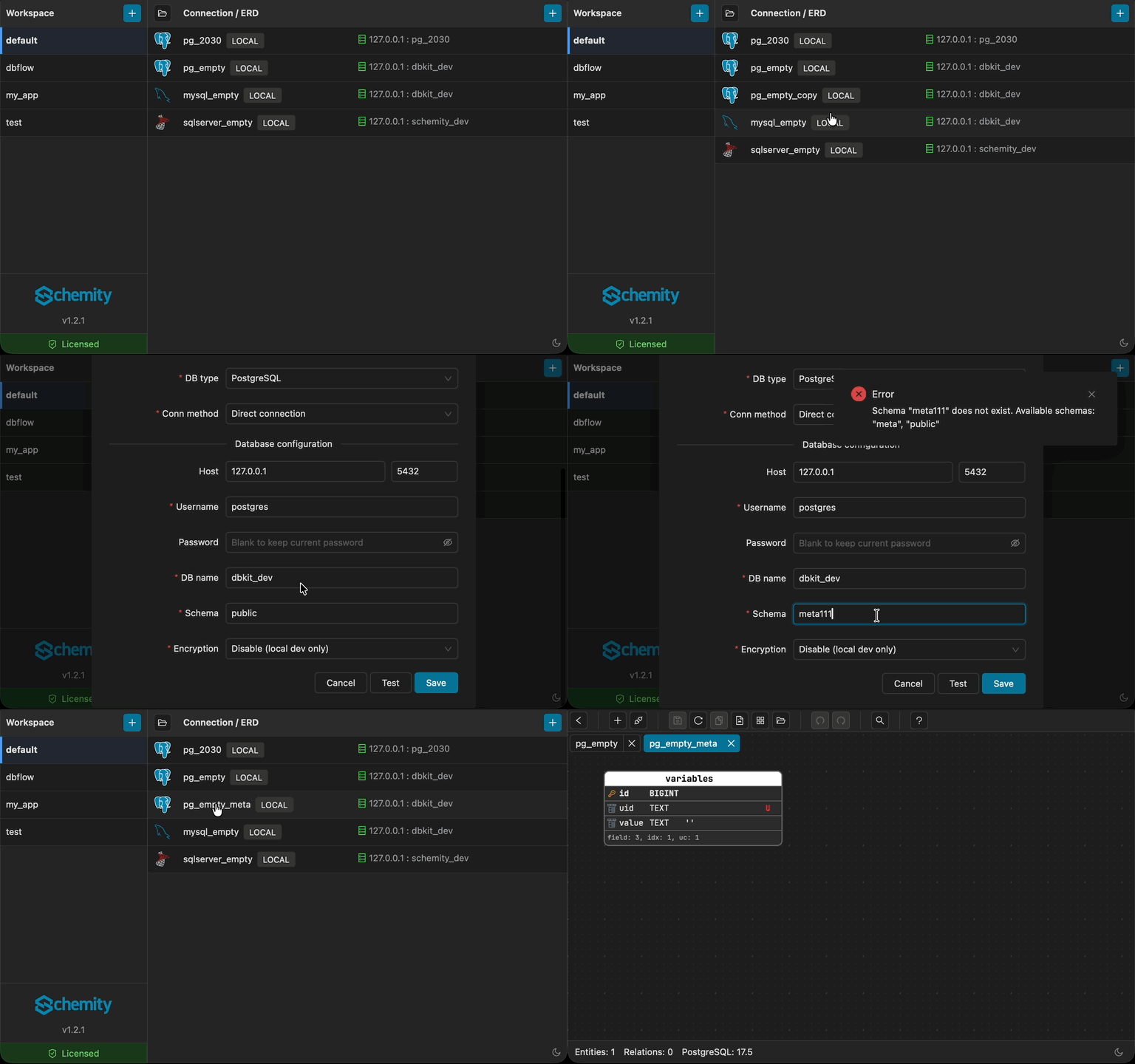
Connect to MySQL, MariaDB, PostgreSQL, SQL Server, or Supabase through
direct or SSH connections - or work in ERD-only mode when you
just need to think through the schema.
Import SQL, Get a Visual ERD Instantly
Import CREATE TABLE statements or load a SQL dump and Schemity
builds the full ERD - entities, fields, and relationships - automatically.
No database connection required. Generate an ERD from SQL in seconds.
AI Assistant With Full ERD Control
Private AI database design from a chat interface - create entities,
define relationships, add or edit fields, and import entities into
Context Views. BYOK (Bring Your Own Key) means your data flows directly
to your AI provider with no intermediate server. An offline AI ERD tool
that never stores or processes your data. Supports Claude, OpenAI,
Google Gemini, DeepSeek, and Grok.
Multi-Layer Modeling
Tabs for systems, schemas for structure, Context Views as ERD
perspectives for use cases. Three layers of data modeling that
mirror how engineers actually think about complex databases -
not one flat canvas.
Full Feature List
Everything Under the Hood
A complete breakdown of what Schemity can do for you, by category.
Connection & Database Support
MySQL, MariaDB, PostgreSQL, SQL Server, and Supabase.
Direct and SSH connections.
Open read-only to view any ERD without credentials.
ERD-only mode for pure designing.
Manage connections by workspace.
Sort workspaces and connections by drag and drop.
Workspace separation for isolating ERDs per project.
Easy backup and restore - workspace is a folder, ERD is a JSON file. Git-native by design.
ERD Design
Drag-and-drop ERD designing.
Context Views - a main ERD as the single source of truth, plus read-only context views that pull in entities to express specific use cases (auth, billing, analytics) as focused ERD perspectives.
Generate ERD from existing database.
Import CREATE TABLE statements or generate ERD from SQL dump automatically.
Export ERD to image file.
Auto resize entity to fit fields.
Snap to guide from edges and center of entities.
Dark mode and light mode.
Field Management
Reorder fields by drag and drop.
Set unique, not null, and default values.
Full check constraint support with any expression.
Extract allowed values from IN check constraints as selectable default options.
Smart color display for unique/unique together fields.
Auto position new fields above created_at/updated_at.
Auto position new foreign keys below existing ones.
Relationships & Foreign Keys
Create foreign keys by drag and drop - 1:N, 1:1, and N:N with auto junction table.
Self-referencing foreign key support.
Color-coded entities with matching relationship lines.
Smart connection lines to avoid overlapping.
ERD custom waypoints for full control over line routing.
Double-click to remove waypoints or reshape lines.
Click to highlight relationship lines and foreign keys.
Database Schema & Migrations
Generate ERD migration SQL diff from ERD changes.
Apply migration directly to database.
Manage check constraints, composite unique constraints, and indexes.
Productivity
AI assistant with full ERD control - create entities, relationships, fields, and import to Context Views. BYOK ERD tool: data flows directly to your AI provider, never through our servers.
Entity templates to pre-define fields for new entities.
Quick search by entity name or field name.
Legend boxes for notes and groups with custom colors.
Attach/detach legends to drag with entities.
Multiple tabs to work on multiple ERDs.
Copy/paste entities and legends between ERDs.
Keyboard Shortcuts & Navigation
Hotkeys for every action - delete, undo, redo, copy, paste, save.
Vim-style navigation with h/j/k/l keys.
Navigate highlighted fields with up/down or k/j keys.
Switch tabs with Cmd/Ctrl + number (1-9).
Close active tab with Cmd/Ctrl + W.
Auto Update & Licensing
Auto update with user-controlled apply timing.
Clean release notes for each version.
Casual license check - no annoying popups or blocking.
Free for education with easy verification.
2-week free trial for commercial use.
Workflow
From Chaos to Clarity in Three Steps
Connect your database, break it into focused Context Views, and evolve
the schema with confidence - all from a single source of truth.
1
Connect, Import, or Start Fresh
Reverse engineer PostgreSQL to ERD in seconds, visualize a MySQL
schema on your desktop, or start from scratch. Get a complete visual
picture of your schema - no weeks of manual documentation. Everything
stays on your machine.
2
Break It Into Context Views
Reduce 50 tables down to a 10-table focused view. Create one Context
View per concern - auth, billing, analytics - ready for audits,
handovers, or onboarding new team members.
3
Evolve with Confidence
Schemity diffs your ERD against the live database and generates the
exact SQL migration. Your ERD lives as plain JSON in your repo -
no third-party server ever sees your schema.
Ready to see your database clearly?
Ready to download. No IT ticket. A lightweight ERD tool running in seconds on any corporate laptop.
An ERD tool with no cloud means your client's schema never touches a
third-party server. What we don't store, we don't have to protect - and
you don't have to audit. Safe for NDA projects, client work, and
air-gapped environments.
No Personal Data Stored
We only store an auto-generated device ID and your country -
for license management and regional support. No name, no email,
no usage tracking. Nothing that identifies you.
Payments Handled by LemonSqueezy
All payment processing and billing are managed by
LemonSqueezy.
Schemity never sees or stores your payment information.
SOC 2 and ISO 27001 Ready
Because Schemity stores almost nothing, it largely satisfies
SOC 2 and ISO 27001 requirements by design. Your ERD files
live locally in your repo - not on our servers.
Engineers love Schemity
Trusted by Database Engineers
"We needed our client's schema documented for an audit handover. Schemity reverse-engineered the production database and we had Context Views for each domain in under an hour - work that used to take weeks."
Marcus Weber
Software Engineer
"Our client's data is under strict NDA. With Schemity, the schema never leaves our machines - no cloud account, no third-party servers. IT approved it in a day because there was nothing to review."
Sara Kowalski
Senior Software Engineer
"Small installer file, no admin rights needed, works behind our VPN. I had it running on a locked-down corporate laptop in seconds. Onboarded two new engineers using Context Views alone - they understood our domain model in an afternoon."
James Lindgren
Software Engineer
Pricing
Simple, Transparent Pricing
A one-time purchase ERD tool at $129. No subscription,
no procurement review, no annual renewal cycle, no per-seat negotiation.
Start with a free 2-week trial.
Turn Complex Databases Into Understandable Systems.
A lightweight desktop ERD tool. Runs on locked-down laptops, behind VPNs,
air-gapped. Document your production database schema in minutes, not weeks.
Your ERDs live as JSON in your repo - an offline ERD tool where no
third-party server ever sees your data.
 PostgreSQL
 Supabase
 MySQL
MySQL
 MariaDB
 SQL Server